New releasesNotificationsPricing and Packaging
Get notified when subscriptions are created, start, or end
You can now opt in to system and offset notifications for subscription lifecycle events. See system notifications and offset notifications.Context
If you provision access, send onboarding emails, or remind customers before a subscription expires, you previously had to infer subscription changes from contract notifications or poll the API. Subscription notifications give you a direct signal for each subscription on a contract.What changed
subscription.createtriggers when a new subscription is created on a contract. The payload includesstarting_atandending_before, which isnullfor open-ended subscriptions.subscription.starttriggers when a subscription starts. The payload includesstarting_at.subscription.endtriggers when a subscription ends. The payload includesending_before.- Payloads include
subscription_id,subscription_custom_fields, and the associated contract and customer. Payment-gated subscriptions (private beta) also includepayment_gate_config. - All three events support offset notifications. Offsets for
subscription.createcan only fire after the subscription is created.
ImprovementsAPI
Create more contracts per customer
Metronome raised the default number of contracts you can create for a customer and added per-customer limits for contract terms. You can also page through a customer’s contracts with the list customer contracts endpoint. See platform limits.Context
Upgrade and downgrade flows often create a new contract each time a customer changes plans. The previous default of 20 total contracts per customer limited how many lifecycle changes you could model.What changed
- The single total-contract limit of 20 is replaced by two limits:
- Total contracts per customer: 200. This counts every contract, including archived and zero-duration contracts.
- Total non-empty contracts per customer: 50. A contract is empty if it has no finalized usage invoices and is either archived or zero-duration.
- New per-customer limits apply across all of a customer’s contracts, alongside the existing per-contract limits:
- Subscriptions: 200
- Seat-based subscriptions: 50
- Scheduled charges: 1,000
- Recurring commits: 150
- Overrides: 10,000
- Named schedules: 250
POST /v2/contracts/listandPOST /v1/contracts/listsupport pagination withlimitandcursor. Each page returns up to 20 contracts. When the response includes a non-nullcursor, pass it back in the next request to fetch the next page.- If your account had custom limits, Metronome applied whichever value is higher: your existing limit or the new default.
New releasesNotificationsBilling
Alert on the combined remaining percentage of commits and credits
You can now create a single alert that triggers when a customer’s combined remaining percentage across eligible commits and credits reaches or drops below a threshold. See threshold notifications.Context
Metronome already supported separate percentage alerts for commits and contract credits, and a combined alert based on the absolute remaining balance. If a customer had both a paid commit and a promotional credit, you had to monitor each percentage separately. The combined percentage alert gives you one signal for the customer’s total available value.What changed
- The new Contract credit and commit percentage alert uses the
alerts.low_remaining_contract_credit_and_commit_percentage_reachednotification type. - Metronome calculates the percentage as combined remaining amount divided by combined original amount, multiplied by 100. This weights each commit and credit by its size.
- The alert evaluates both customer-level and contract-level commits and credits.
- You can filter eligible commits and credits by pricing unit, commit access type, and custom fields.
- Metronome sends notifications when the alert is reached and when it resolves.
- The alert is available in the Metronome dashboard and the API.
New releasesBillingPricing and PackagingAPI
Sell commits and credits denominated in quantity
Quantity-based commits and credits are now generally available. You can sell or grant a fixed quantity of usage, such as tokens, API calls, or enrichments, and draw it down independently of how each unit is priced. See create credits and commits.Context
Commits and credits were previously denominated only in spend, either in a fiat currency or a custom pricing unit. Allowances like “100 free requests per month across three products with different rates” required workarounds such as custom pricing units or commit rates. Quantity-based commits and credits model these allowances directly, including allowances that cover usage across multiple pricing tiers.What changed
- Set
access_typetoquantitywhen you create a commit or credit. Do not specify acredit_type_id. - Endpoints that return quantity-based commits and credits, such as
getContractandlistCustomerBalances, populate a placeholdercredit_type_idof00000000-0000-0000-0000-000000000000. - Quantity-based commits and credits support one-time and recurring schedules, packages, rollovers, and subscription-linked commits.
- Balance and percentage threshold alerts support quantity-based commits and credits.
- If you omit applicable products or tags, only usage charges can consume quantity-based commits and credits.
- Commit application line items on invoices are still denominated in spend.
- Data export tables include a new
access_typefield.
ImprovementsUI
Filter events by event type in the dashboard
You can now filter the Events page in the Metronome dashboard byevent_type. This makes it faster to find and debug specific kinds of usage events. See send usage events.What changed
- The Events page includes a filter for
event_type.
New releasesNotificationsPricing and Packaging
Get notified when rate cards change
You can now opt in to notifications when rate cards are created, edited, archived, or have their rates updated. See system notifications.Context
If you keep pricing or entitlement data in sync with Metronome, such as a local enforcement layer, a CPQ tool, or an internal entitlement tracker, you previously had to poll the API or accept drift. Rate card notifications give you a signal whenever a change may affect pricing calculations.What changed
rate_card.createtriggers when a rate card is created.rate_card.edittriggers when rate card metadata changes, such as its name or alias.rate_card.archivetriggers when a rate card is archived.rate_card.rates_changedtriggers when one or more rates on a rate card change. The payload includesearliest_effective_at, the earliest effective time among the changed rates.- Rate card notifications apply across your Metronome account and do not support offsets.
New releasesBillingPricing and Packaging
Bill for provisioned throughput
Metronome now supports provisioned throughput billing, where customers reserve a fixed amount of capacity for a recurring fee and pay an on-demand rate only for usage above that reservation. See provisioned throughput.Context
Infrastructure businesses selling GPUs, compute, or data processing often sell both guaranteed capacity and burst usage. Previously, you could charge for metered usage or fixed recurring fees, but there was no reusable way to compare actual usage against a reservation that changes over time. For example, if a customer reserves 120 GPUs and uses 200 GPUs in an interval, the reservation fee covers the first 120 GPUs and only the remaining 80 GPUs are billed on demand.What changed
- Named Schedules on contracts are generally available. A Named Schedule stores a time-varying value on a contract, such as a customer’s reserved capacity, identified by a schedule name (for example,
reserved-instance) and properties (for example,{ "sku": "gpu-H100" }). - SQL billable metrics can read Named Schedule values with two new functions:
scheduleValue(name, properties, ts)for exact matches andscheduleSum(name, properties, ts)for summing all matching schedules. - SQL billable metrics evaluate each usage interval against the reservation active at that timestamp, so you can calculate on-demand usage (
max(0, total_usage - reservation)) and covered usage (min(total_usage, reservation)). - A reservation applies only to usage with matching properties. For example, an H100 reservation does not cover A100 usage.
- Use a subscription to charge the recurring reservation fee and a usage product to charge on-demand overage. You can optionally add a $0 covered-usage product to show customers how much consumption their reservation covered.
ImprovementsUI
Set your account’s support contact
Each Metronome account now has a designated support contact that admins can change from Settings > Team. See manage your support contact.What changed
- The current support contact is labeled in Settings > Team.
- Account admins can set any active team member as the support contact from the row’s actions menu.
- Accounts must always have a support contact, so the current contact must be replaced before they can be deactivated.
- Members with pending invitations or deactivated accounts cannot be selected.
New releasesBillingPricing and PackagingIntegrations
Billing for LLM Tokens is available in public preview.
Billing for LLM tokens allows you to build rate cards from up-to-date LLM token prices and apply markup on top, so you can pass provider costs through to customers without maintaining the pricing yourself. See billing for LLM tokens.Context
Businesses selling products backed by LLM inference need to accurately pass token costs through to their customers. New models launch continuously and providers change prices, which makes it difficult to keep rate cards accurate and up-to-date while preserving a stable margin.What changed
- Select models from a prepopulated list of token providers and set a configurable markup. Rates are sourced from Stripe’s
/v1/modelsAPI, which tracks pricing across 30+ inference providers. - The billing for LLM tokens workflow creates the underlying billable metrics, usage products, and a rate card populated with current token rates.
- Set up customers and contracts and report usage through standard Metronome workflows.
- When a model author releases a new model, it is automatically added to the rate card at the latest price using your default markup.
- When a model author updates rates for an existing model, the rate will be automatically updated to the rate card using your configured markup.
- We’ve also published a skill allowing an agent to guide you through the entire-set up process.
- Available in public preview: we’ll be iterating to continue improving and simplifying this workflow.
New releasesAPIPricing and Packaging
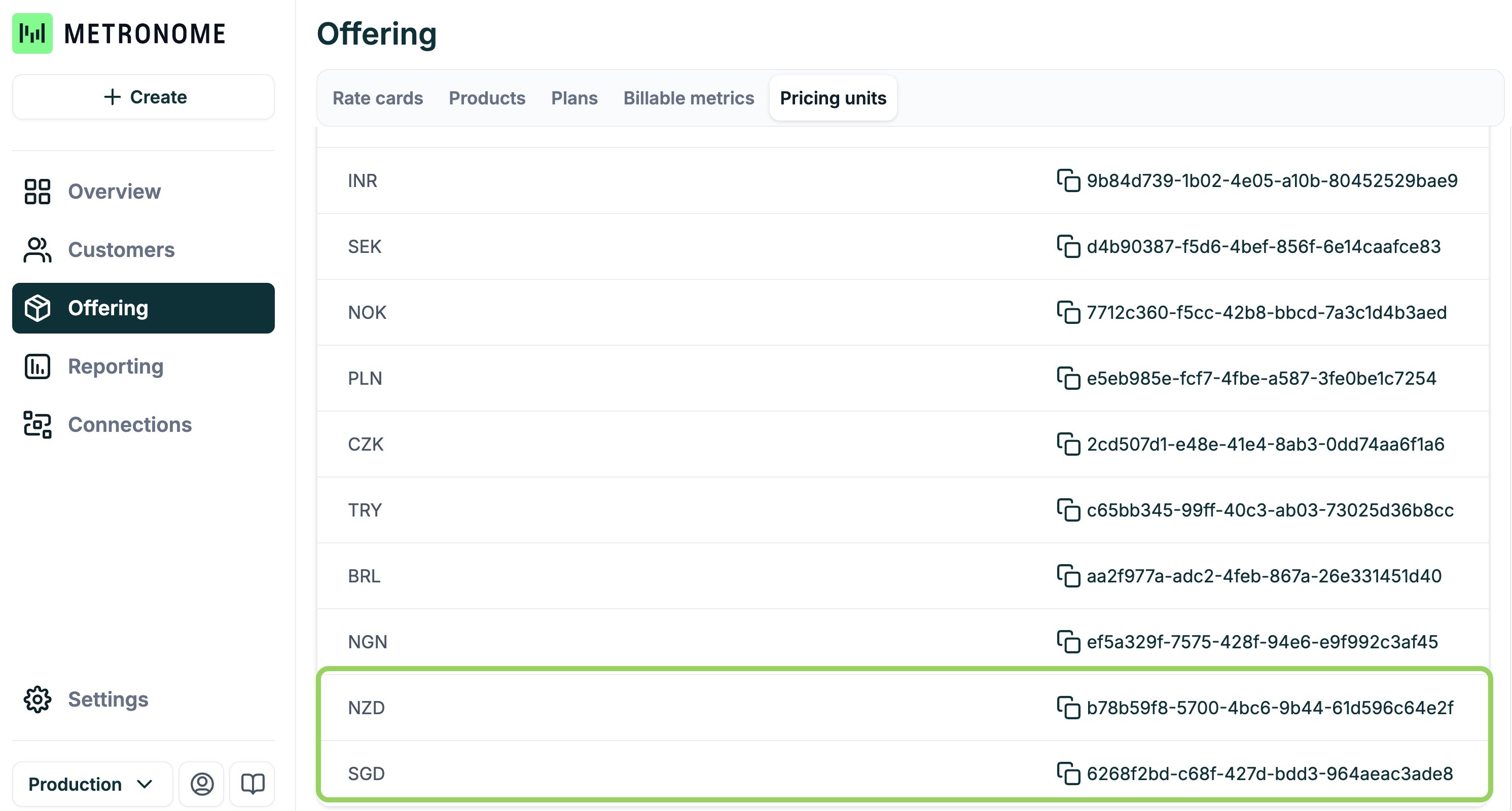
Create and archive pricing units through the API
You can now manage custom pricing units programmatically. See Create a pricing unit and Archive a pricing unit.What changed
POST /v1/credit-types/createcreates a new custom pricing unit.POST /v1/credit-types/archivearchives a pricing unit that is no longer needed.- These endpoints complement the existing
GET /v1/credit-types/listendpoint, so pricing units can now be managed end to end without the dashboard.
New releasesAPIBilling
Mark contract invoices as unbillable
You can now configure rules that mark certain contract invoices as unbillable. Unbillable invoices still finalize in Metronome, but Metronome holds them back instead of sending them to your billing provider. This is useful when you don’t want to charge customers for certain invoices, such as small overage amounts. See how invoicing works.Context
Previously, suppressing unwanted invoices required manually zeroing them out or voiding them before they reached your billing provider. Unbillable rules let you express this policy once and have Metronome apply it automatically at finalization.What changed
- Set unbillable rules on a customer’s billing provider configuration by invoice type (
usageorscheduled), optionally scoped to a currency and a maximum amount threshold. For example, suppress only USD usage invoices of $10 or less. - Unbillable invoices finalize but display an “Invoice marked as unbillable” message in the dashboard instead of being sent to the billing provider.
- The
billable_statusfield on invoices in the API now returns a coalesced value of the customer-level status, contract configuration, and any manual override. Because the field is computed at read time, it is also populated on draft invoices. - The Send to Stripe button in the dashboard force-sends an otherwise unbillable invoice when needed.
- Available via API for Stripe-connected customers. Contact your Metronome representative to enable it.
New releasesBillingPricing and Packaging
Danish krone and Chinese yuan currency support
Metronome now supports two additional currencies for pricing and billing:What changed
DKK(Danish krone) is now available as a billing currency.CNY(Chinese yuan / renminbi) is now available as a billing currency.- Both currencies use two decimal places, consistent with other supported two-decimal currencies.
ImprovementsUI
Redesigned dashboard navigation with global search
The Metronome dashboard navigation has been reorganized to make key pages easier to find, and a new global search lets you jump to any resource from anywhere.What changed
- Usage is now a top-level item in the left nav.
- The Connections section is renamed to Developer. Global audit logs now live in the Developer section.
- Webhooks are managed under Notifications.
- Team, personal, and billing settings are consolidated under Account in the bottom corner of the nav.
- Press cmd+K (ctrl+K on Windows) to search and jump to any resource, such as rate cards, integrations, or API tokens.
- The left nav can be collapsed for more working room.
New releasesBillingPricing and PackagingIntegrations
Billing for LLM tokens is available in private preview
Billing for LLM tokens lets you build rate cards from up-to-date LLM token prices and apply your own markup on top, so you can pass provider costs through to customers without maintaining the pricing yourself. See billing for LLM tokens.Context
Businesses reselling products backed by LLM inference need to accurately pass token costs through to their customers. New models launch continuously and provider prices change frequently, which makes it hard to keep rate cards accurate while preserving a stable margin.What changed
- Select models from a prepopulated list of token providers and set a configurable markup. Rates are sourced from Stripe’s
/v1/modelsAPI, which tracks pricing across 30+ inference providers. - The billing for LLM tokens workflow creates the underlying billable metrics, usage products, and a rate card populated with current token rates.
- Set up customers and contracts and report usage through standard Metronome workflows.
- When a model author releases a new model, it is automatically added to the rate card at the latest price using your default markup.
- Available in private preview.
APIImprovements
Idempotency on manual balance entries and product custom fields on contract subscriptions
Two additions to the API make manual balance entries safe to retry and expose managed product fields in contract responses.What changed
POST /credits/addManualBalanceEntrynow accepts auniqueness_keyfor idempotent retries. See add a manual balance entry.POST /contracts/customerListresponses now includeproduct_custom_fieldson subscription items, surfacing the managed custom fields configured on the underlying product. See list customer contracts.
UIIntegrationsBillingImprovements
Redesigned Stripe integration settings page
A new Stripe integration settings page at/connections/integrations consolidates the invoice-delivery options that control how Metronome invoices are pushed to Stripe, with inline explanations and guardrails against incompatible combinations. See the Stripe integration guide.What changed
- Manage the following from one page: enabling Stripe tax collection, invoice line item display, whether invoices stay in draft or send automatically, when to skip invoices (for example, zero-total invoices), and whether service-period dates and quantities appear on invoices.
- Blockers prevent incompatible settings from being enabled together, warnings call out settings that may have unintended effects, and tooltips explain each option in plain language.
- Currently on staging. Production rollout is planned within the next one to two weeks.
New releasesUIImprovements
Interactive customer billing experience demo in the docs
A live, interactive demo dashboard is now available in the docs to help you build an end-customer billing experience with Metronome APIs. The demo walks through a subscription + credits + auto top-up model for both individual and team plans. Try it at docs.metronome.com/guides/customers-billing/demo-dashboard/app.What changed
- Each component in the demo links to the API reference used to power it, along with guidance on transforming responses into UI and best practices.
- The demo is accompanied by a machine-readable manifest so AI coding agents can consume it directly when implementing similar experiences.
- Additional demos (including an enterprise plan model) and a component library for embeddables are planned.
New releasesBillingAPIPricing and Packaging
Configure duration, rollover, and rate type on prepaid balance threshold commits
You can now setcommit_duration, rollover_fraction, and rate_type on prepaid balance threshold billing configurations. These values are carried over to any commits created when the threshold triggers a top-up. See prepaid balance thresholds.Context
Previously, every commit generated by a prepaid balance threshold was created with a fixed end date one year after the end of the current invoice period, with no way to customize its rollover behavior or rate type. Customers who wanted a different lifecycle for these commits had no way to configure it.What changed
commit_durationaccepts avalueandunit(DAYS,WEEKS,MONTHS, orYEARS). The commit’s end date is calculated relative to the end of the current invoice period, so threshold commits created within the same period end on the same date.rollover_fractionon the threshold configuration controls how much of the commit balance carries over during contract transitions.rate_typeon the threshold configuration sets the rate type applied to the resulting commit.- All three fields are available on
prepaid_balance_threshold_configurationat contract creation and viaupdate_prepaid_balance_threshold_configurationwhen editing a contract.
ImprovementsUI
Faster Commits & Credits pages for customers with many commits
The Commits & Credits tables on the customer and contract pages now load roughly twice as fast for customers with thousands of commits, and no longer freeze the page while loading. A customer with 3,000+ commits now loads in about 10 seconds instead of 20.What changed
- Commits & Credits tables are now paginated instead of loading every commit into a single view.
- The contract-level Commits & Credits page uses the same UI as the customer-level page. The ledger no longer loads for all commits at once; drill into a specific commit to see its ledger.
- The Summary section is now calculated server-side rather than by aggregating thousands of commit segments in the browser.
ImprovementsIntegrations
Salesforce integration reauth and skipped records download
The Salesforce integration now supports reauthenticating your connected Salesforce instance without a full reinstall, and the “download skipped records” export is working again. See Sync into Salesforce.What changed
- You can reauthorize your Salesforce connection from the integration settings when credentials expire or change.
- Downloading the CSV of records skipped by the sync now returns the expected file.
ImprovementsBilling
More accurate rated events for backdated usage and mid-period pricing changes
Rated events are now generated using each invoice’s point-in-time customer pricing and packaging configuration at finalization time, rather than the current view. This significantly reduces inconsistencies caused by backdated events, late-arriving rate overrides, and ingest alias changes between finalization and rating.Context
Previously, rated events for an invoice were computed against the customer’s current pricing and packaging view. When events were backdated, rate overrides were added late, or ingest aliases shifted after finalization, the rated event totals could drift from the finalized invoice amounts, requiring manual triage.What changed
- Rating now uses a historical, per-invoice view of ingest aliases, events, and customer aggregates.
- Inconsistencies between finalized invoices and rated events are reduced by one to two orders of magnitude for high-volume customers.
- Customer-level pricing and packaging historical mode (using the exact rate card version applied at finalization) is planned next.
ImprovementsPricing and PackagingAPIUI
Add credit type conversions to existing rate cards
You can now add new credit type conversions to an existing rate card without recreating it. When adding a rate for a new product, select any credit type—if it doesn’t already have a conversion configured, you’ll be prompted to set the conversion rate.Context
Previously, credit type conversions could only be defined when first creating a rate card. If you needed to introduce a new credit type later, you had to create an entirely new rate card and copy over all existing rate data.What changed
- When adding a rate for a new product on an existing rate card, you can now select from any credit type—not just those with existing conversions.
- If you select a credit type without a configured conversion, a dialog prompts you to set the conversion rate.
- Also available via the API using
add_credit_type_conversionsonPOST /v1/contract-pricing/rate-cards/update.
New releasesIntegrations
Metronome is live in Stripe Onboarding
Metronome is now recommended as Stripe’s usage billing product during the Stripe onboarding flow. New merchants who indicate a need for usage-based billing will be directed to Metronome as part of their Stripe setup.How it works
- Metronome is surfaced in the Stripe onboarding flow and setup wizard.
- The Metronome Stripe App is installed, providing an entry point to Metronome.
- You sign up for Metronome and walk through an onboarding wizard contextualized in the Stripe ecosystem.
- You create a test customer and invoice and can see that test customer in Stripe.
BillingAPIUI
Daily recurring credits and commits are supported
You can now issue recurring credits and commits on a daily cadence.Context
Users want to provide daily included allocations of AI credits to encourage regular usage. Now, you can create these allocations easily using recurring credits and commits.What changed
- Create daily recurring credits or commits through the UI or API
- You have full flexibility to specify commit/credit duration, applicable products, prioritization, and other fields.
- By default, one daily recurring credit or commit is supported per contract.
- Daily recurring credits cannot be used with seat-specific credits.
BillingAPI
Billing provider configuration scheduling
You can now switch billing providers on an existing contract without creating a new one. Contracts now support a billing provider configuration schedule—an ordered list of segments aligned to billing period boundaries.Context
Previously, changing a billing provider (for example, from Stripe to AWS Marketplace) required creating an entirely new contract. This created operational complexity and didn’t match how customers think about the change—swapping a billing provider should feel like updating a payment method, not starting a new commercial relationship.What changed
- Schedule a billing provider transition to take effect at the start of the current or next billing period via
POST v2/contracts/edit. - Supported transitions cover any combination of Stripe, NetSuite, and the major marketplaces (AWS, Azure, GCP).
- Transitions to or from a marketplace always take effect at the next period boundary to avoid retroactive usage re-reporting.
- The full schedule is visible via
contracts/get, and the existingcustomer_billing_provider_configurationfield is unchanged—no breaking changes for existing integrations.
ImprovementsUI
Q2 usability updates: design-led improvements
We shipped 77 design-led changes across Q2, including a ground-up audit log overhaul, table usability improvements across the app, and dozens of customer-driven fixes.Highlights
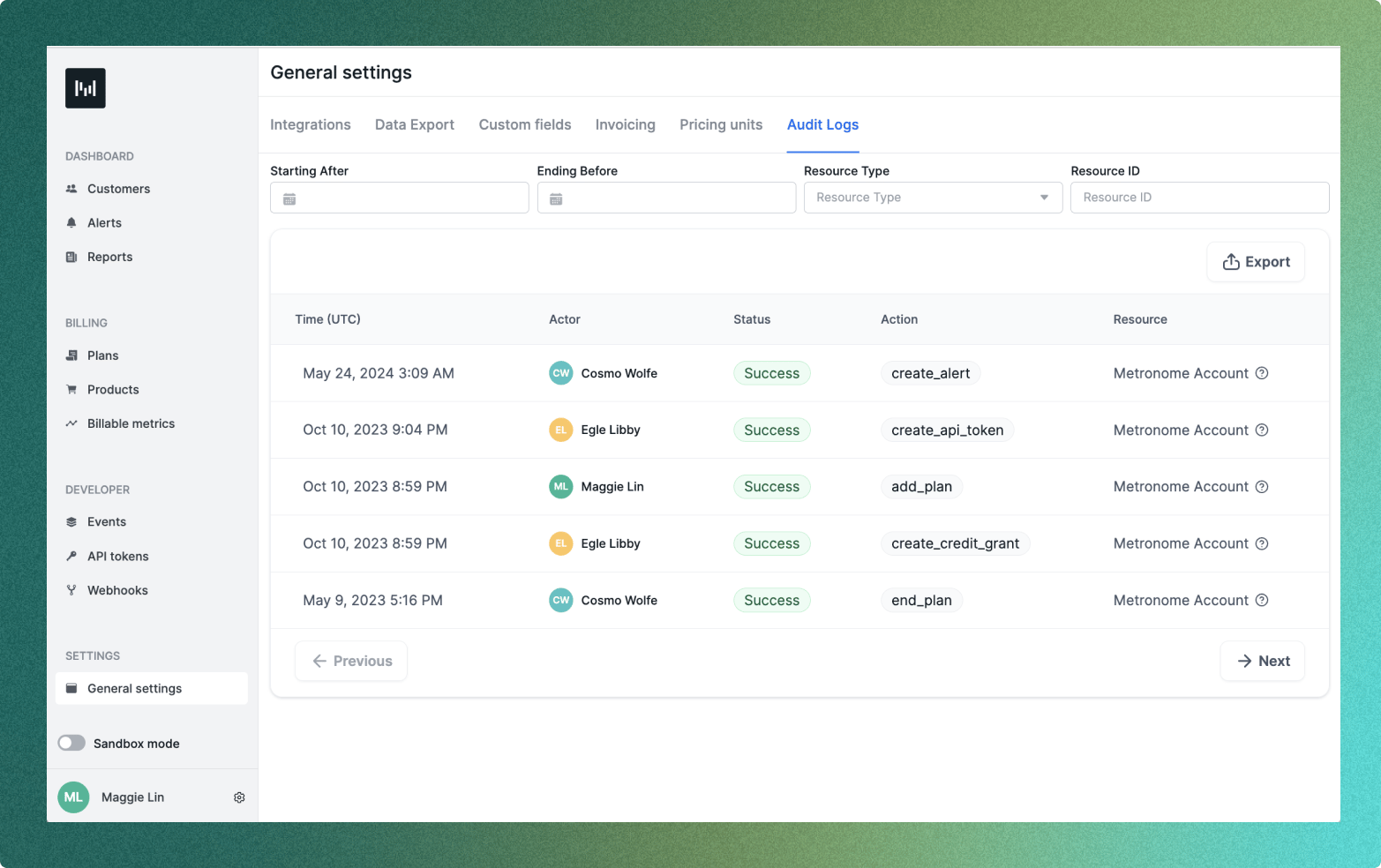
- Audit logs completely overhauled: humanized names, linkified IDs, collapsible sections, search and highlight, and fixed the export bug.
- Pinned action menus on all major tables so buttons don’t disappear on horizontal overflow.
- Duplicate contract functionality: the most-requested power-user feature, now available in the UI.
- Default contract currency now matches the rate card currency.
- Subscription names are now editable in the UI.
- Mobile web usability improvements across core workflows.
- Credit ledger mutations now reflect without a page reload.
ImprovementsIntegrations
Native decimal quantities on Stripe invoices
Metronome now uses native decimal quantities on Stripe invoices, producing more accurate and easier-to-understand invoices for your end customers.Context
Invoice line items previously displayed a quantity of 1 with the unit amount set to the full line item total, while the actual quantity and unit price appeared in the line item name. This meant conflicting values could show up in the same view.What changed
- Stripe invoices generated by Metronome now display the actual decimal quantity and unit price natively.
- No more workaround formatting in line item names—quantities and prices are displayed where they belong.
- This change is being gradually rolled out to all Metronome users.
New releasesBillingIntegrations
RBI e-mandate support for Indian credit cards
Metronome now supports passing Stripe mandates through to invoices, enabling customers to charge Indian users off-session for auto-recharge, recurring fees, and PayGo invoices.Context
The Reserve Bank of India (RBI) requires an e-mandate to be in place before any off-session charge can be made on an Indian credit card. Without this, customers either couldn’t collect payment from Indian users or generated significant support burden working around it. As AI-native companies scale internationally, India is an increasingly important market.What changed
- Metronome passes a Stripe mandate through to invoices via a contract custom field mapped to Stripe’s
invoice.payment_settings.default_mandate. - When an invoice is created, the associated mandate is attached and Stripe handles the RBI-compliant authentication flow.
- Covers auto-recharge thresholds, recurring subscription fees, and PayGo usage invoices.
- While built for RBI e-mandate requirements, this custom field solution works for passing any Stripe mandate via Metronome.
New releasesNotificationsBillingAPI
Enhanced balance alert and threshold billing controls
You now have significantly more flexibility in configuring which balances are included or excluded when evaluating low remaining balance threshold notifications and threshold billing. Learn more about how alert specifiers work.What changed
- Alert specifiers with AND/OR logic: Configure complex include/exclude logic on
low_remaining_contract_credit_and_commit_reachedthreshold notifications using a newalert_specifiersfield. Alert specifiers support custom field conditions with future extensibility for additional fields and alert types. - Per custom field key-value alerting: Aggregate balances by each value of a specific custom field key and receive a notification when any group’s total balance falls below a threshold. This enables per-product-family balance monitoring.
- Threshold billing balance exclusions: Exclude specific groups of balances from remaining balance calculations for threshold billing using a new
threshold_balance_specifiersfield. This prevents promotional or product-specific credits from being counted toward threshold billing evaluations.
New releasesIntegrationsUI
Metronome self-checkout
You can now self-serve from the Metronome website to a production environment by providing a credit card and selecting the Startup package.Context
For the first time, Metronome has a full end-to-end self-serve motion. A user can click “Get Started” on the website, walk through the onboarding wizard, and check out inside Metronome—all without talking to a human.ImprovementsAPIUIPricing and Packaging
Commit-specific overrides support all balance types
Commit-specific overrides can now target commits, credits, recurring commits, and recurring credits—all within a single override specifier.Context
Previously, commit-specific overrides could only target commits and recurring commits separately, and you could not combine both in the same override specifier.What changed
- A new
any_commit_or_credit_idsparameter accepts IDs of any credits, commits, recurring commits, or recurring credits that the override should apply to. - Available when creating contracts, creating packages, and editing contracts via the API.
- In the UI, the override creation flow now shows all commits, credits, and recurring commits/credits on the contract.
New releasesIntegrations
Stripe Projects CLI integration
Metronome is now available as a provider in the Stripe Projects CLI, enabling developers and AI agents to provision Metronome accounts directly from the command line.Context
Stripe Projects is an orchestration tool that lets developers and their AI agents provision services, generate credentials, and manage usage and billing from the CLI. With Metronome’s integration, agents can provision new Metronome accounts and start building out billing models in new applications.What you can do
- Create a new application from scratch
- Provision a Metronome account via the CLI
- Use the auto-generated API key to build out the Metronome object model
- Wire Metronome into your application
New releasesBillingAPI
Subscription billing cycle configuration
You can now customize the billing cycle on a per-subscription basis by passingbilling_cycle_config when creating a subscription.What changed
- Anchor date (advance subscriptions only): The date from which Metronome starts generating subscription periods. Previously, the anchor always equaled the contract usage invoice billing cycle anchor. You can now set it to the subscription start date or any other date.
- Invoice placement: Choose
ON_USAGE_INVOICE(default) orON_SCHEDULED_INVOICEto control where subscription charges land. When set to scheduled invoice placement, Metronome uses an existing scheduled invoice with the same billing date or creates a new one.
Notes
- Anchor dates are absolute dates and are not available on packages. Invoice placement is available on package subscriptions.
billing_cycle_configcannot be edited onto existing subscriptions—you must create a new subscription.- Invoice breakdowns are not supported for scheduled invoices.
BillingAPIUI
Configurable rounding for prorated subscriptions and recurring commits
You can now configure rounding on prorated subscriptions and recurring commits, so invoices and access amounts display clean, readable numbers instead of values like15.33333333333….Context
Previously, proration math on subscriptions and recurring commits could surface long repeating decimals on invoice line items and in API responses. This was a regression from other billing products like Stripe and made invoices harder to read for end customers.What changed
- Configure both the number of decimal places and the rounding method on prorated subscriptions and recurring commits.
- Decimal places range from
-5to5. Because Metronome represents USD in cents, rounding USD to whole dollars requires-2. The UI shows currency-aware helper text to make this clearer. - Rounding is applied before commit application, so totals still add up correctly.
- For subscriptions, the unit price is rounded.
- For recurring commits, the amount is rounded, and quantity is derived from the rounded amount so the
unit_price * quantity = amountinvariant holds (subject to minor decimal-storage limits).
- Proration rounding is editable on existing subscriptions and recurring commits.
- Rounding can also be set on a package and inherited by contracts.
API
Richer responses from createContract and editContract
The createContract and editContract API endpoints now return richer response data instead of just a contract ID.Context
Previously, both endpoints returned only{ id: "<contract-id>" }, forcing consumers to make a follow-up getContract or getEditHistory call to see what was actually created or changed. This added complexity to API integrations.What changed
createContractreturns the full contract data alongside the top-level contract ID (for backwards compatibility).editContractreturns the full edit event (edit ID, updated fields, etc.) alongside the contract ID.
SDK
Metronome Java SDK is now available
We’ve officially released the first Metronome Java SDK, bringing end-to-end support for Java developers integrating with Metronome.The SDK is distributed through standard Maven and Gradle dependencies, so you can install and use it within your existing workflows. It supports sending usage, querying APIs, and integrating Metronome into Java applications.- Browse the SDK reference on javadoc.io.
- Follow the README to get started.
ImprovementsUI
Q1 usability updates: quality of life improvements
We shipped a broad set of usability and quality-of-life improvements across the product this quarter, focused on making core workflows faster, clearer, and more reliable in day-to-day use.You may also notice Metronome has a new look, including dark mode. This is part of a larger design system migration (DSv3), bringing more consistency, better performance, and a more cohesive experience across the product.These updates span everything from small interaction fixes to meaningful workflow refinements: improving invoice clarity, simplifying onboarding, tightening audit log readability, expanding flexibility in contract creation, and smoothing out edge cases across pricing and billing.Individually, these are small. Together, they materially improve how the product feels and performs.Onboarding and setup flow improvements
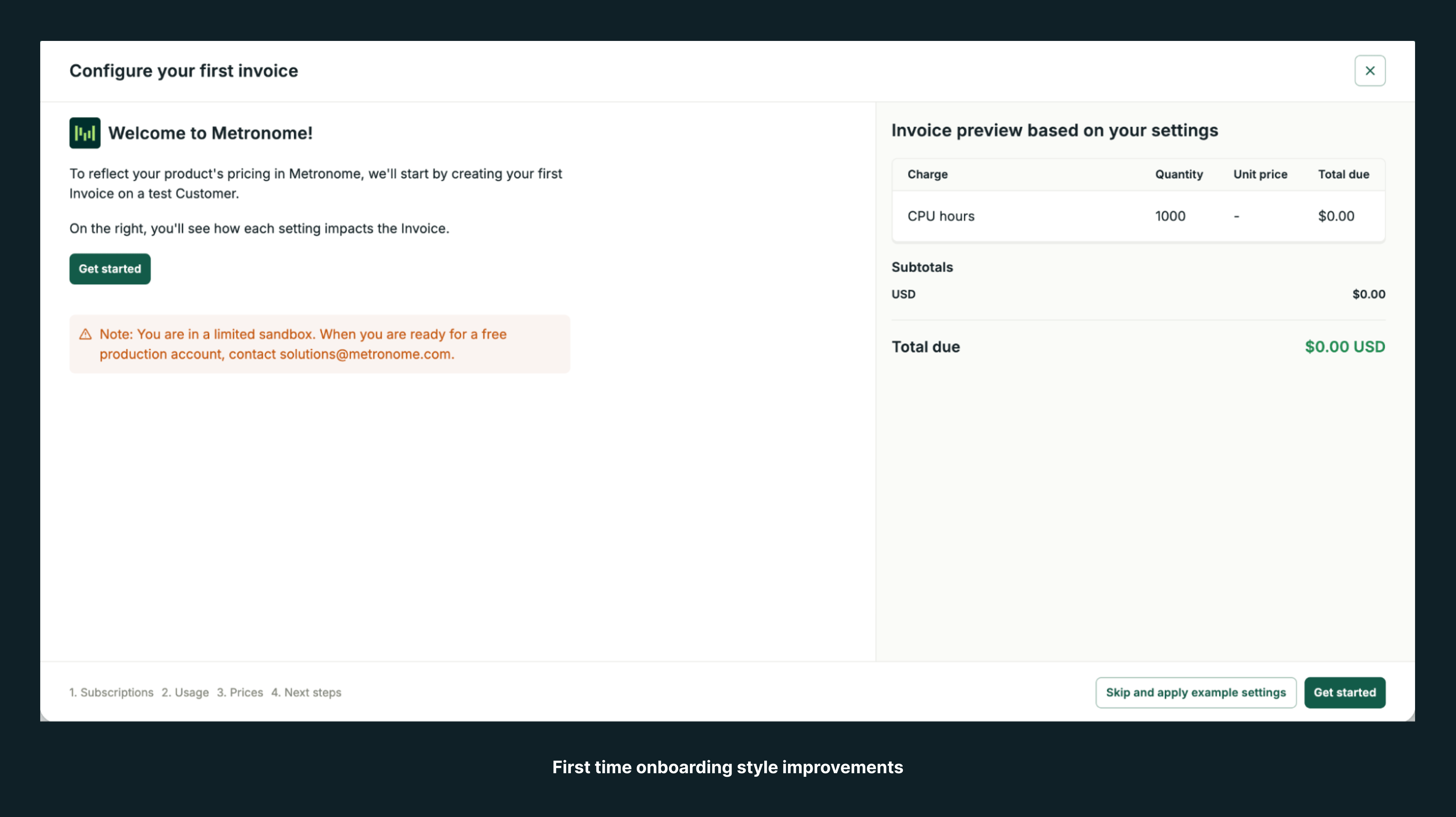
- Improved the onboarding wizard with clearer text, better defaults, stronger validation, and more contextual setup behavior, helping new users get configured faster with less confusion.
- Added default subscriptions and package support in onboarding and quick create flows, reducing manual setup effort.
- Improved the onboarding price tables, usage cards, and object creation steps, making setup screens easier to scan and complete.
- Removed unnecessary warnings and added clearer CTAs in onboarding, reducing friction during first-time setup.
- Updated onboarding layouts and styling to DSv3, creating a more consistent and polished setup experience.
- Fixed text truncation, status display, and layout issues across onboarding steps.
Contracts, commits, credits, and subscription workflow improvements
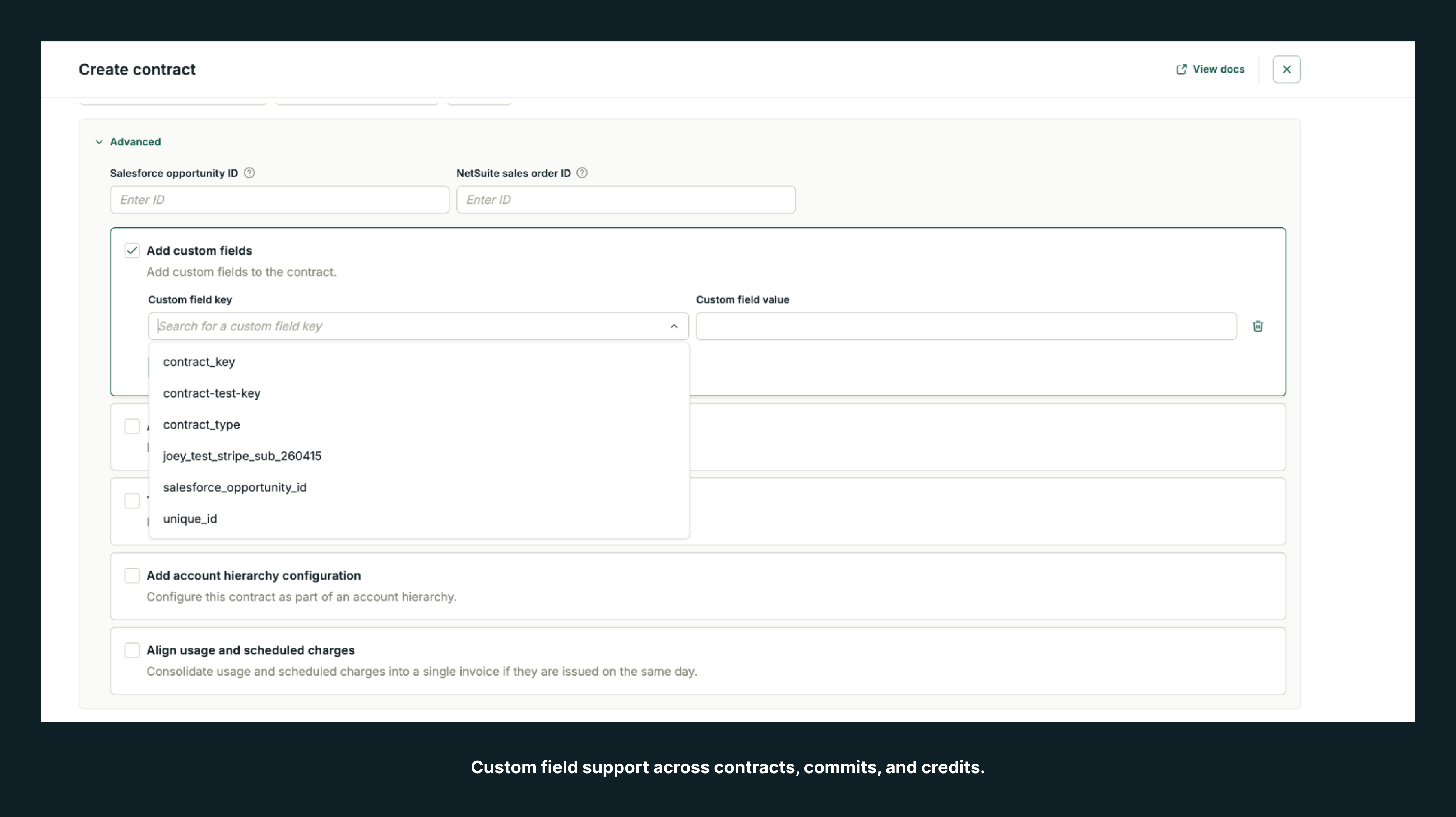
- Added custom field support across contracts, commits, and credits, giving users more flexibility when configuring commercial terms.
- Improved the contract creation flow, including package selection, updated metadata, better copy, and DSv3 styling, making setup easier to understand and complete.
- Displayed billing provider aliases on contract pages, helping users identify billing setup details faster.
- Added support for copying IDs and improved metadata visibility in commits and contract-related views, making reference workflows easier.
- Clarified terminology and help text in subscriptions, recurring credits, package creation, and terms flows, reducing ambiguity in complex billing setup.
- Prevented invalid edits such as modifying rollover commits, protecting users from unsupported changes.
- Fixed layout, border, spacing, and logo issues across contract overview, contract metadata, commits, credits, and subscription detail pages.
- Updated contracts, subscriptions, credit details, plan credits, add term flows, and related pages to DSv3, improving consistency across billing workflows.
Pricing, rate cards, billable metrics, and product configuration improvements
- Added richer context and cleaner formatting to rate cards, including meta details, better currency and number formatting, and improved override displays, helping users review pricing setups more easily.
- Improved billable metrics with better sorting, filter behavior, archived state copy, group key handling, and default table sorting, making metric configuration easier to manage.
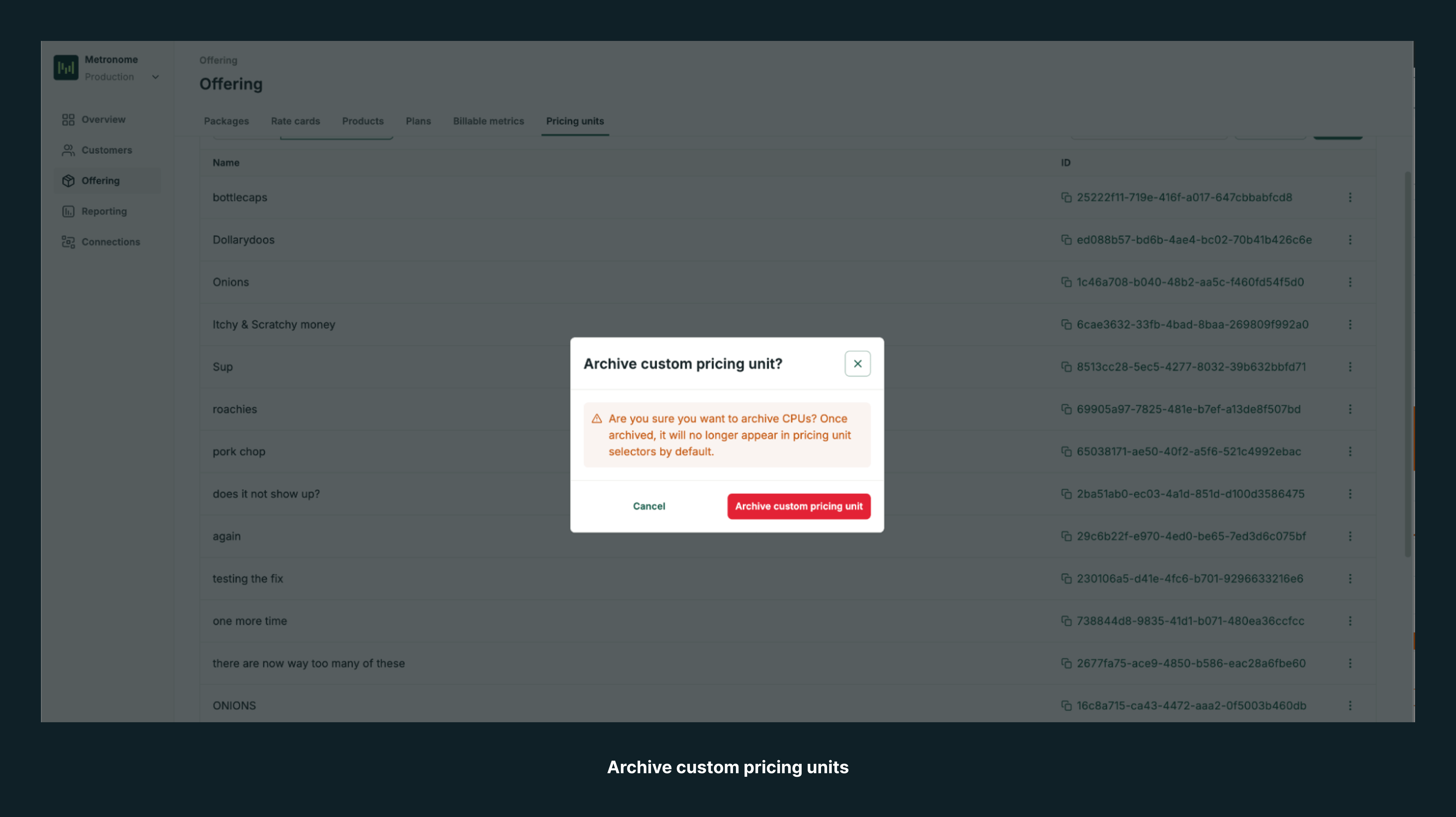
- Added archive support for custom pricing units and migrated pricing-related pages to DSv3, giving users a more consistent configuration experience.
- Improved product creation and product filtering with better validation, number formatting, multi-filter support, and bug fixes, making setup more reliable.
- Added overflow menus and modernized dropdown patterns across rate card and billable metric pages, giving users faster access to actions.
- Fixed layout and display issues in rate tables, property filters, product columns, and BM creation flows.
Invoices, tables, filters, and reporting improvements
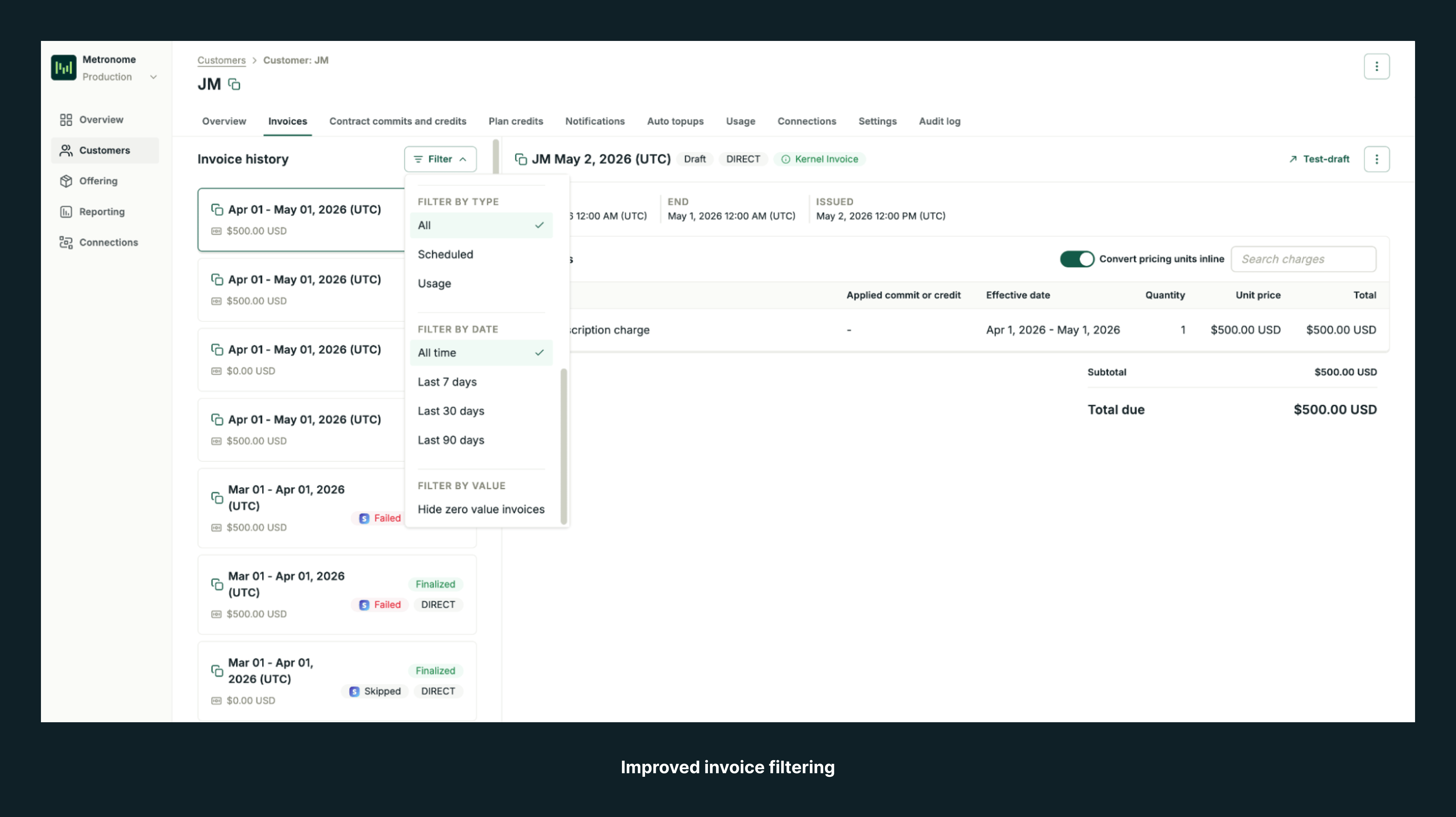
- Improved invoice filtering with quick date filters and better type filtering, helping users narrow results faster.
- Migrated invoice pages and invoice tables to DSv3 and newer table components, improving consistency and readability.
- Fixed layout issues across invoice history, invoice subtotals, invoice preview, invoice padding, and small-screen invoice views.
- Improved table readability and alignment across packages, overrides, contracts, deprecated tables, and other structured views.
- Added support for better wrapping, widths, and content visibility in audit logs, dropdowns, date pickers, and table cells, making dense interfaces easier to scan.
- Updated report generation copy and simplified “Custom Reports” to “Reports,” making the reporting language clearer.
Connections, integrations, exports, and system settings improvements
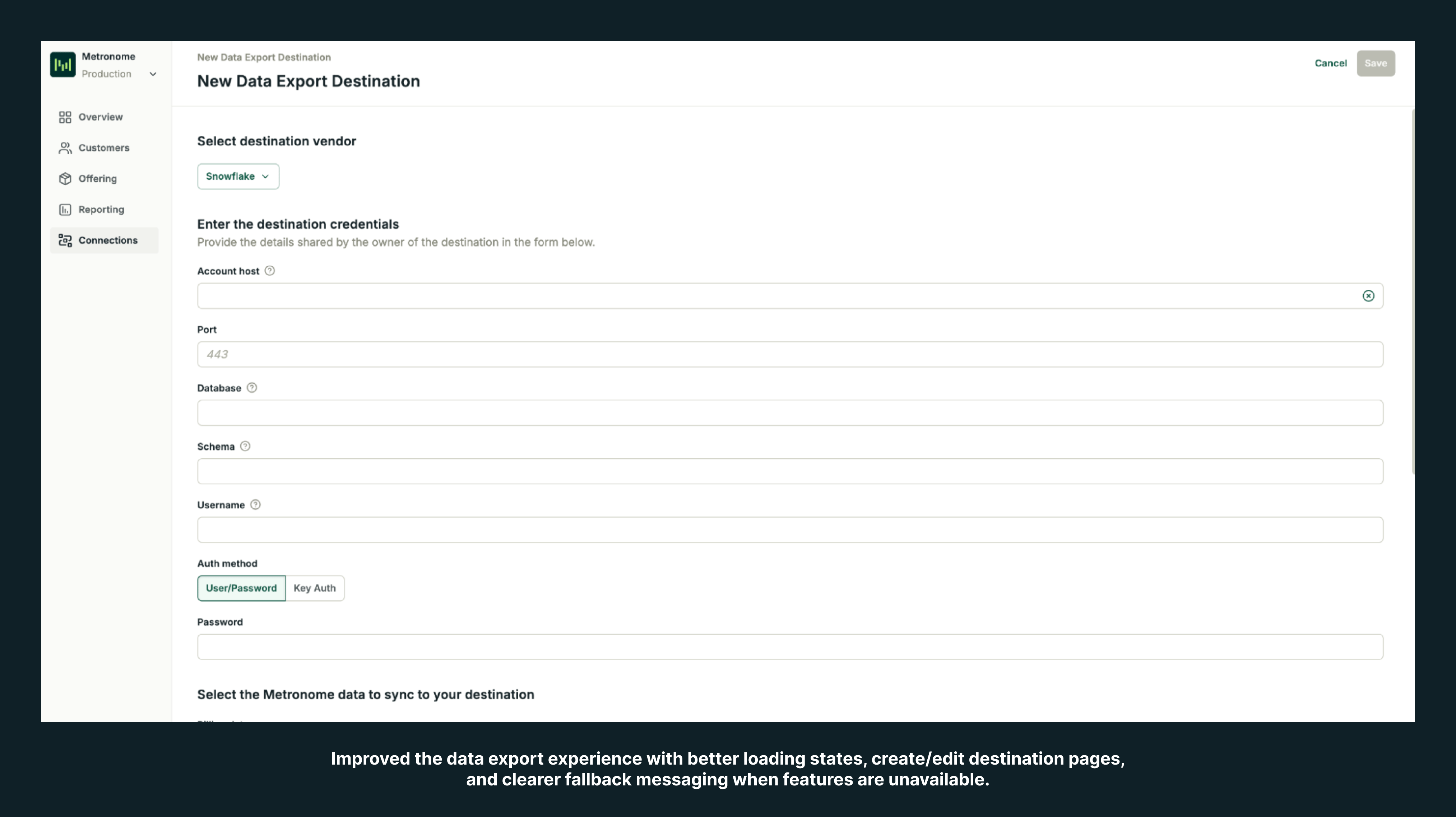
- Migrated major connections and integrations pages to DSv3, including events, invoices, integrations, data export, API tokens, webhooks, and Salesforce syncs, creating a more unified admin experience.
- Improved the data export experience with better loading states, create/edit destination pages, and clearer fallback messaging when features are unavailable.
- Fixed UI issues across Stripe, NetSuite, Avalara, and other integration surfaces, including labels, badges, icon sizing, and logo display.
- Added an account dropdown and improved integration copy, helping users configure external systems more clearly.
- Expanded the Data Export transfer log from 20 to 100 entries, giving users more visibility into recent transfer history.
- Improved setup flows by preventing unnecessary browser prompts and fixing integration-specific modal behavior.
Design system, DSv3 migration, dark mode, and visual consistency improvements
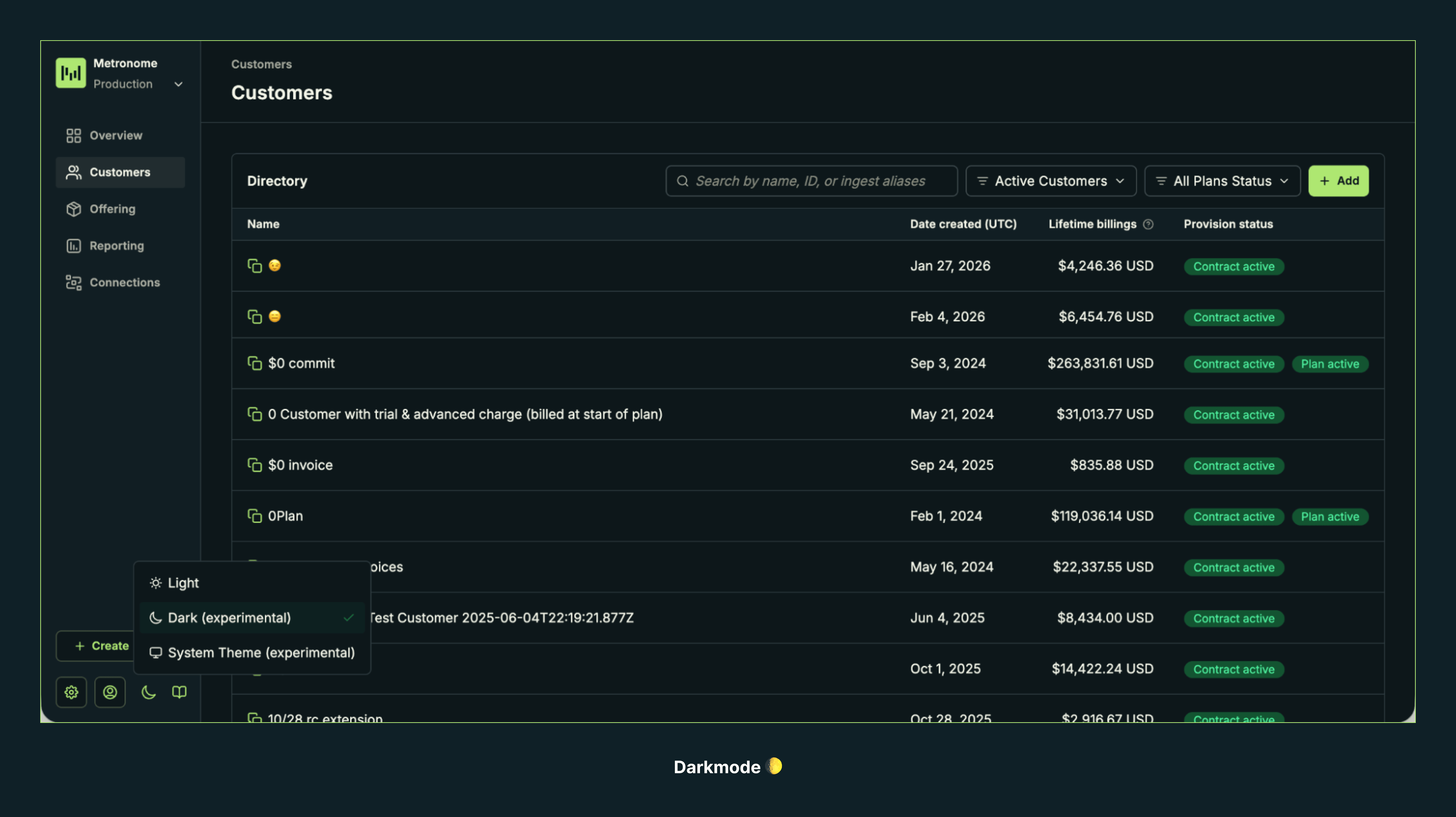
- Migrated a broad set of pages and workflows to DSv3, including customers, contracts, notifications, onboarding, invoices, packages, threshold billing, settings, and connections, creating a more consistent product experience.
- Added dark mode and fixed dark mode issues across date pickers, notifications, scrollbars, select inputs, and background colors, improving usability in lower-light environments.
- Standardized visual patterns such as breadcrumbs, dropdown headers, progress bars, tags, buttons, modals, tables, and status badges, improving overall interface consistency.
- Improved theme handling and CSS behavior across the app, reducing styling regressions and undefined variable issues.
- Fixed spacing, border radius, focus states, icon alignment, and component sizing across shared UI patterns.
General usability, readability, and bug fixes
- Improved the readability of audit logs, tooltips, modal copy, help text, and field labels, helping users understand actions and settings more quickly.
- Made toasts dismissible, giving users more control over transient notifications.
- Fixed bugs across charts, progress bars, date pickers, dropdown placement, focus rings, tag inputs, and loading states, improving day-to-day product reliability.
- Resolved display issues such as cut-off chart content, broken logos, text wrapping, badge wrapping, and stale cached results across multiple workflows.
- Improved empty states, skeleton states, and fallback messaging in places like packages and customer pages, making incomplete or loading states feel clearer and more intentional.
New releasesUI
Assign RBAC roles to API tokens
You can now assign a specific RBAC role when creating an API token in the Metronome UI. The token inherits the permissions of the selected role, giving you fine-grained control over what each token can access and modify.Previously, API tokens had full access to the Metronome API. With this update, you can scope tokens to Administrator, Writer, Reader, or any custom role configured for your organization.To assign a role to an API token:- Navigate to Connections > API tokens & webhooks.
- Click + Add.
- Select a role to assign to the token.
- Complete token creation.
New releasesAPIUIPricing and Packaging
Package contract transitions and credit rollover improvements
Transitions when provisioning customers with a package
You can now include transitions when creating a contract from a package. Previously, provisioning a customer with a package only accepted apackage_id (or package_alias) and a starting_at date. Now, you can also specify a transition object to link the new contract to a previous one.This is especially useful when a customer upgrades or downgrades between packages. For example, if a customer is moving from a Good Package to a Better Package, you can faciliate the creation of a new contract and ending of the previous contract in a single API call.This feature is available in both the API and UI. See docs on provisioning customers with a package and contract lifecycle transitions for more information.Credit rollover on contract transition
You can now set arollover_fraction on Credits in Metronome. Credits with a rollover_fraction will automatically roll over on contract transition. When a contract transitions to a new contract (such as during a renewal), any credits configured with a rollover_fraction will carry over the specified percentage of the initial balance to the new contract.See docs on credits and rollovers for more information.New releasesIntegrations
NetSuite integration (Public Beta)
Metronome now offers a first-class NetSuite integration, connecting your billing data directly to one of the most widely used ERP systems among enterprise B2B companies.The integration supports two primary workflows:- Billing: Metronome finalizes an invoice and syncs it directly to NetSuite, where NetSuite handles distribution, tax calculation, and payment collection. When NetSuite marks the invoice paid, Metronome reflects that status back.
- Revenue recognition: Metronome collects payment via Stripe (or another provider), then syncs the invoice and payment to NetSuite so your revenue ops team has a complete picture.
New releasesUI
Dark mode
Metronome now supports dark mode, giving you the option to switch between light and dark themes based on your preference.To enable dark mode, click the moon icon at the bottom of the navigation and choose Dark or System (to match your system preferences)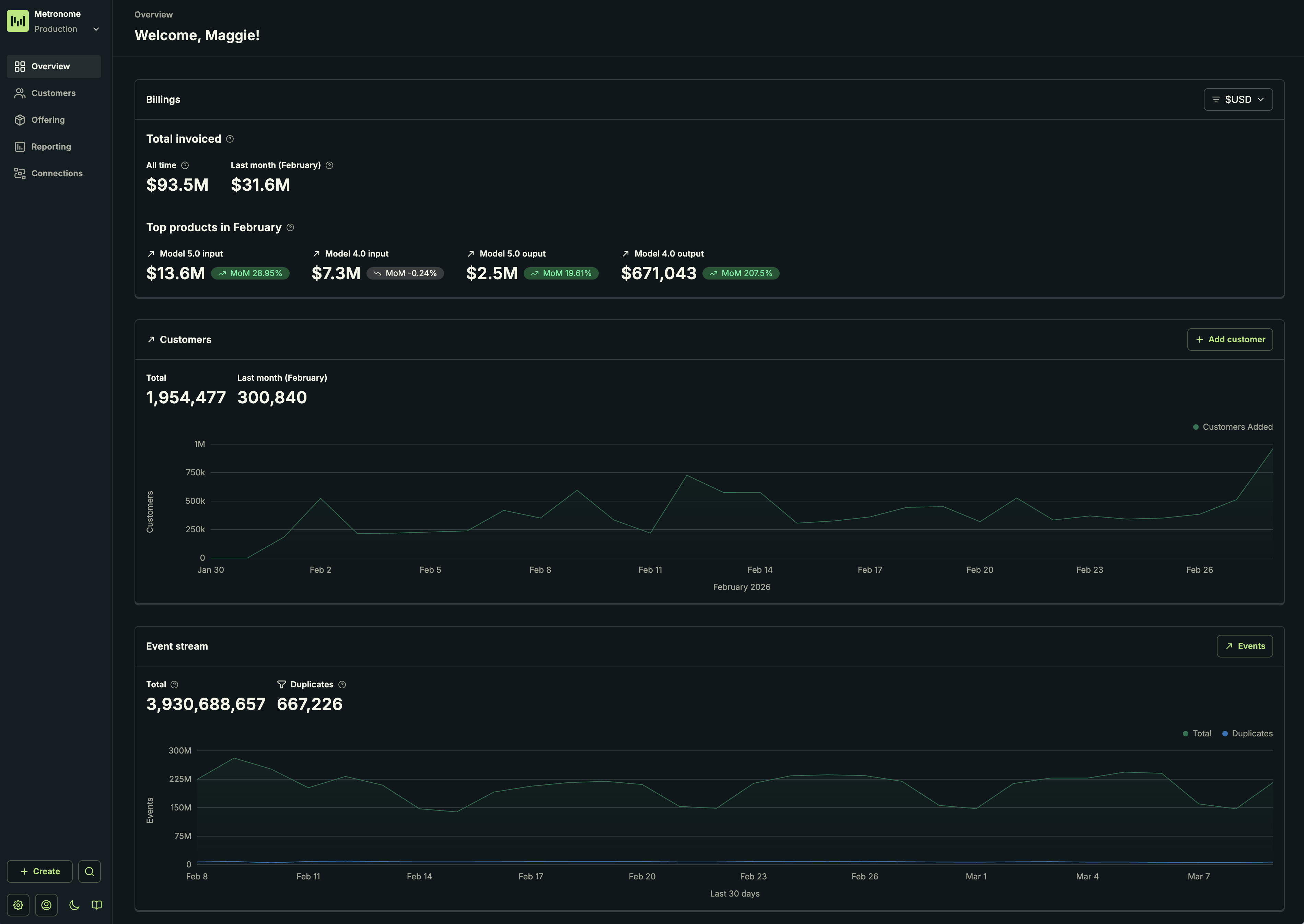
Dark mode is currently in an experimental phase. Not all surface areas support dark mode yet. If you encounter any issues, please report them to your Metronome representative.
New releasesAPI
SDK releases
New SDK versions are now available:Breaking changes
- Removed
priorityparameter and response field from contracts
Features
subscription_idfield on invoice line items- Compound group keys supported in
/v1/usage/groups - New package endpoints
Bug fixes
- Request cancellation during retry wait
NullStructserialization
Documentation
- Added missing documentation descriptions across several API fields
New releasesAPI
Compound group keys in usage breakdowns
The Get usage data with paginated groupings endpoint now supports compound group keys, allowing you to group usage by multiple dimensions in a single query and receive structured results back. The group keys must be defined as compound group keys on the billable metric; you cannot group usage by multiple simple group keys.Example use cases:- Break down usage by both
regionandmodelto understand consumption patterns across infrastructure and product dimensions - Group by
customer_idandfeatureto analyze feature adoption per customer - Combine
project_idandresource_typefor granular cost attribution
New releasesAPIUI
Archive packages
You can now archive packages in Metronome. Archived packages cannot be used to provision new contracts, but existing contracts remain unaffected.This feature helps you clean up your product offerings and manage package lifecycles more effectively.Available in both the UI and API. Data export support is coming soon.New releasesUI
New Metronome UI
The new Metronome UI is now enabled for all clients. This is a refresh that brings a consistent and compact design language across the Metronome app.What’s new
- ~40 components migrated from the previous design system
- ~80 pages updated with the new visual treatment
- Consistent colors and design components across the entire platform
New releasesAPI
Change end date on advance, prorated subscriptions
You can now change the end date of advance, prorated (billed immediately) subscriptions that haven’t ended yet.Previously, you could not change the end date of these subscriptions once their final billing period was finalized.New releasesAPIUI
Stripe invoice PDFs available in UI and API
You can now access Stripe invoice PDFs directly through both the Metronome UI and API.Invoice PDFs are available for invoices finalized from December 2025 onward.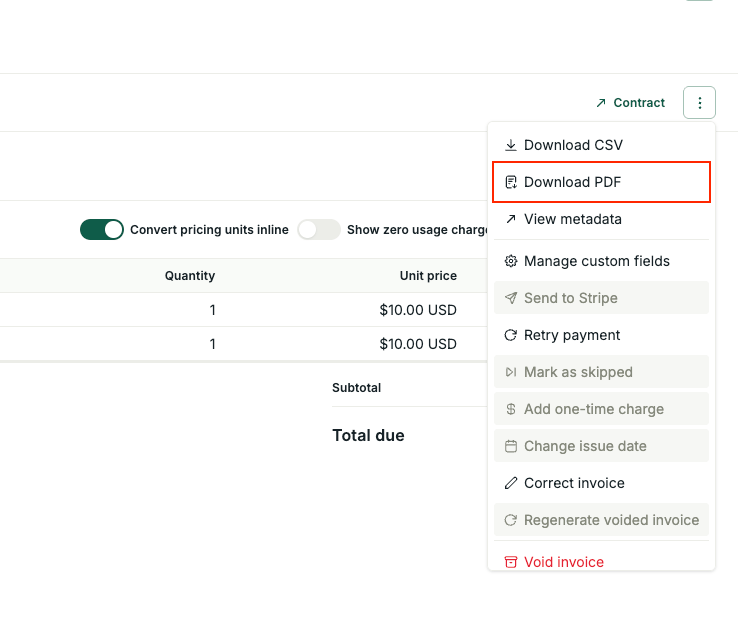
ImprovementsAPIIntegrations
Subscription and invoice line item linking improvements
We’ve improved the ability to link invoice line items to subscriptions, making it easier for clients to sync state between Metronome and external billing providers like Stripe.What’s new
- Data export: Fixed the
subscription_idcolumn in v2 subscription line items data export (was null, now set correctly) - API: Added
subscription_idto the line items API resource - Stripe integration: Added
metronome_subscription_idto Stripe invoice line items metadata
New releasesUI
Create contracts from packages in the UI
You can now create a contract directly from a package in the Metronome UI, removing the need to rely on the API for provisioning contracts on packages.New releasesUI
In-app embedded dashboards
Metronome now offers in-app embedded dashboards that allow you to view critical revenue metrics directly within the Metronome application. This feature provides visibility into key financial data without requiring you to set up Data Export and build custom reporting infrastructure.Available dashboards
- Basic revenue dashboard: View invoiced totals by month and product, track revenue trends, and monitor billing performance.
- Advanced finance metrics dashboard: Access detailed financial metrics including ARR, NRR, and other key performance indicators for deeper revenue analysis.
- Customer list: Filter and explore customers based on spend and other attributes to identify trends and opportunities.
New releasesAPI
SDK releases
New SDK versions are now available:Features
- Add
excludefield to commit and override specifiers shape in the API - Support TieredPercentage rate on CommitRate
- Expose add revenue config in edit contract API
- Release account hierarchy
- Update API to allow editing net payment terms
- Add getNetBalance endpoint
New releasesAPI
Get net balance API
The Get net balance endpoint allows you to retrieve the combined current balance across credits and commits for a customer in a single API call. This simplifies balance retrieval and reduces latency, especially for customers with many credits and commits.Key features
- Single call: Get the aggregated balance across all commits and credits without pagination
- Flexible filtering: Filter by balance type (
CREDIT,PREPAID_COMMIT,POSTPAID_COMMIT), specific IDs, or custom fields - Draft invoice handling: Choose whether to include pending draft invoice deductions in balance calculations
New releasesAPIUI
Edit net payment terms on contracts
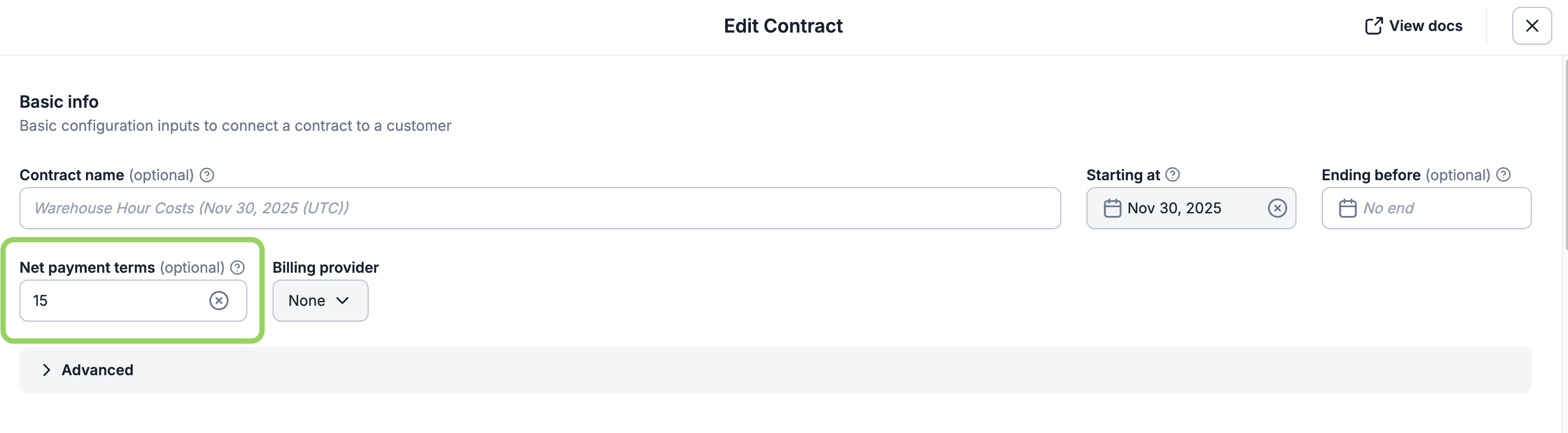
New releasesAPI
Major version SDK release
We’ve released major version updates across all of our SDKs:Breaking changes
- Removed
use_list_pricesfrom Rate objects
Features
- Added
revenue_system_paymentsto Payment object andrevenue_system_invoiceto Invoice object - Added recurring commit ID and subscription config to Commit and Credit objects
- Added support for custom fields on package terms
New releasesUI
Self-serve access to Metronome
You can now sign up for a Metronome sandbox environment directly from the Metronome website.Our new onboarding wizard helps with getting your rate card, contracts, pricing, packages, and more set up so you can create your first invoice.ImprovementsAPI
Billing configuration API endpoints now return response bodies
The set billing provider configuration and archive billing provider configuration API endpoints now return response bodies.Previously, these endpoints returned undefined responses, which caused JSON parsing errors when using Metronome SDKs. This update improves SDK compatibility and provides a more consistent API experience.New releasesNotifications
High cardinality group key spend alerts
Metronome now supports spend alerts on group keys with up to 50,000 unique values, enabling enterprise customers to monitor spend across high-cardinality dimensions like user IDs, project IDs, or API keys at scale.Use cases include:- Track spend per user across organizations with tens of thousands of active users
- Monitor costs by project or team in large enterprise environments
- Set budget thresholds for individual API keys or service accounts
New releasesAPI
SDK releases
New SDK versions are now available:Features
- Update contract creation endpoints to allow setting revenue system configuration
- Add
commit_transactionsto the body of/upsertAvalaraCredentialsendpoint - Add
seat_filterfield to creation request and response parameters of the alert object - Add
quantityfield to plan pricing adjustment response - Add
external_payment_idfield toExternalInvoice - Add
descriptionfield toCreditresponse - Include
custom_sqltoaggregation_typeinUsageSearchResponse - Return object response for
SetBillingConfigurationsendpoint - Update create alert API to allow
LowRemainingSeatBalanceReachedalert
Documentation
- Add
gcp_marketplaceenum - Move contract edit v2 from beta to GA
- Document missing fields for schemas related to recurring credits and commits
New releasesAPINotificationsIntegrationsUIPricing and Packaging
Launch week recap: Monetization Infrastructure for AI

Pricing models built for change
AI-driven products require flexible infrastructure that can serve every go-to-market motion. We launched three new features so you can ship pricing as fast as you ship product:Seat-based credits combine the predictability of per-seat billing with usage-based consumption. Assign credit allowances per user that can be pooled across teams or assigned to individual users. Learn more about seat-based credits here and modeling subscriptions here.Packages power PLG with good/better/best tiers. Create and manage packages in one place, update pricing instantly without engineering support, and analyze adoption by package. Learn more about Packages here.Account hierarchy brings structure to enterprise billing with parent-child contract setups. Manage usage and commitments across multi-entity organizations with organization-wide visibility. Reach out to your Metronome representative to learn more.Read the full announcement here.Invoicing that unifies every revenue motion
Managing PLG, sales-led, and marketplace motions on separate systems creates reconciliation gaps and operational friction. We launched two features to unify invoicing across every channel:PLG invoicing automates payment collection for self-serve customers. Collect payments via credit card through the Metronome Billing Console, with built-in tax calculation and payment retry logic. Learn more about PLG invoicing here.Cloud marketplace integrations now include GCP, joining our existing AWS and Azure integrations. Metronome handles usage metering and rating across all marketplaces, serving as your single source of truth. Learn more about invoicing with GCP marketplace here.Read the full announcement here.Billing as part of the product experience
Modern billing should feel as transparent and responsive as the product itself. We launched three features to embed monetization into the customer experience:Cost preview API gives customers accurate cost estimates before they take action in the product. Show token consumption, processing costs, or credit utilization to reduce bill shock and build trust. Learn more about the cost preview API here.Embeddable billing console brings invoicing, payments, and usage tracking directly into your product. Give customers self-service access to invoices and real-time usage data. Learn more about payment through the Metronome billing console here.Customer lifecycle notifications sends real-time signals to teams and customers about trials, renewals, and credit expirations. Configure time-based notifications to engage at the right moment. Learn more about Customer Lifecycle Notifications here.Read the full announcement here.What this enables
These capabilities provide the pricing flexibility, unified invoicing, and customer experience companies need to turn monetization into a growth advantage.See everything we shipped at metronome.com/launch-week. If you’re interested in learning more, please reach out to your Metronome representative.New releasesIntegrations
Invoicing with Google Cloud Marketplace
Metronome now supports invoicing through the Google Cloud Marketplace, enabling you to send metered usage data from Metronome directly to GCP for accurate billing and invoicing.With native integrations across AWS, Azure, and GCP, Metronome makes it easy to launch faster, scale confidently, and deliver transparency to your customers.- Launch faster: Metronome handles real-time usage metering and rating so you can accelerate revenue recognition through cloud marketplaces.
- One source of truth: Manage pricing, packaging, and GTM motions in a single system. Changes made in Metronome flow directly to your marketplace listings.
- Build customer trust: Give customers real-time visibility into usage and spend through their cloud billing consoles, rather than waiting for end-of-month invoices.
New releasesAPI
New SDK releases
New SDK versions are now available:Features
- Add
billing_provider_errortoinvoice.external_invoice - Add Avalara credentials and billing provider APIs
- Add
METRONOMEtoBillingProvidertype - (Private beta) Add
low_remaining_seat_balance_reachedCustomerAlert type - Add v2 notifications APIs
ImprovementsAPINotificationsUIPricing and Packaging
September fixes and improvements
UI
-
Create a
spend_threshold_reachednotification for all values of a group key in the UI. This builds on a previous release, which enabled the ability to create a notification based on a specific group key value (e.g. notify if user_id=123 exceeds $1,000 in spend). With this update, you can now set a notification for all values of the group key (e.g. notify if any user_id exceeds $1,000 in spend). - Add a billing configuration to a contract that doesn’t already have one in the UI.
- Archive a billing provider on a customer in the UI. Archived billing providers can be reassigned to new customers. If you archive a billing provider that is attached to an active contract, the configuration will be archived immediately and will no longer bill to the associated destination.
- Edit the rate type of a recurring commit in the UI.
- Improved search accuracy in Products and Rate Cards tables.
- View product ID in commit/credit metadata flyover.
-
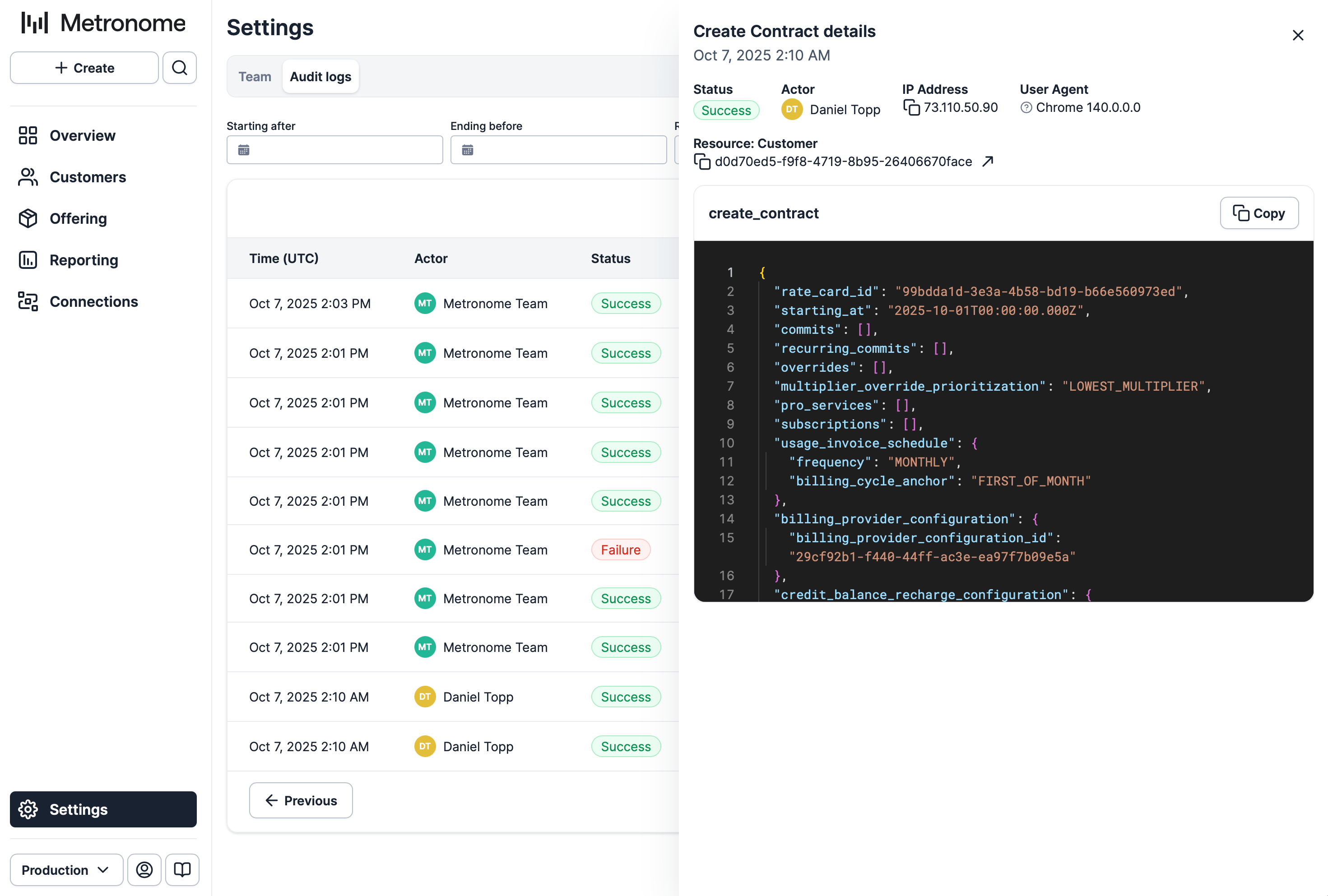
Improved formatting of our Audit Logs in the UI.
-
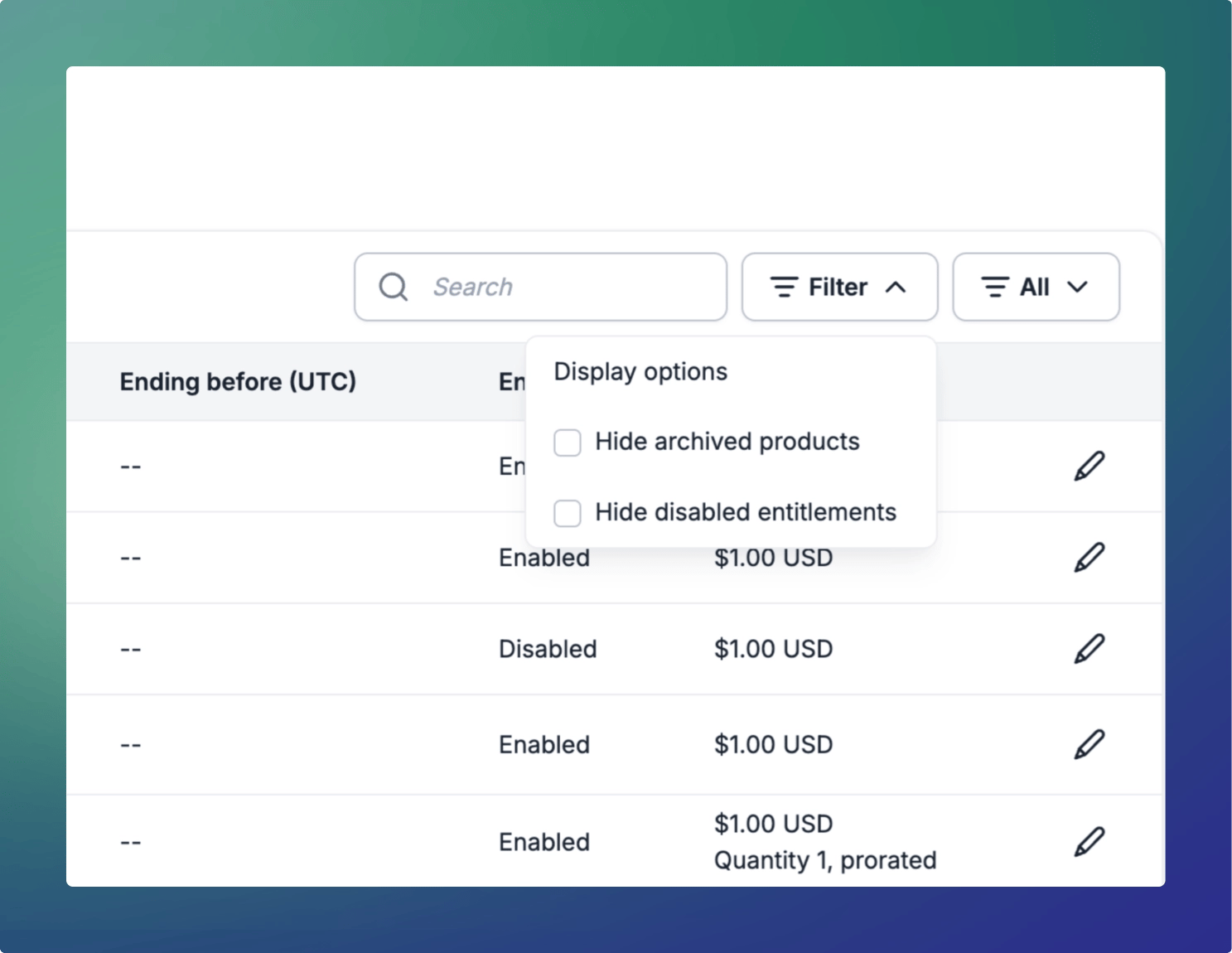
New filtering on the rate card table to allow users to hide disabled entitlements and archived products.
-
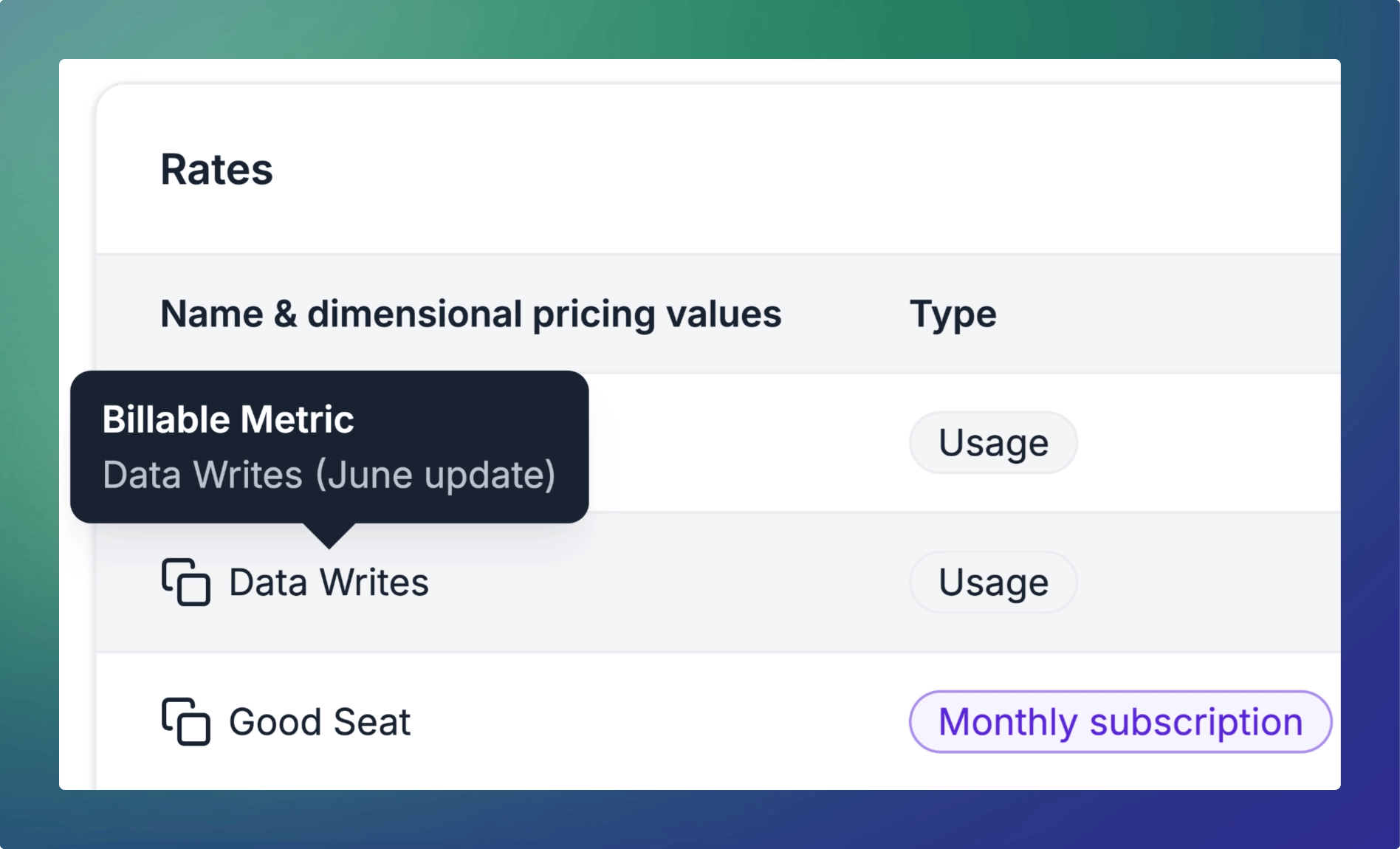
Products within the rates table now display the attached billable metric on hover.
API
- Create a
spend_threshold_reachednotification for all values of a group key through the API. - Add a billing configuration to a contract that doesn’t already have one through the API.
- Archive a billing provider on a customer through the API.
- Edit the rate type of a recurring commit through the API.
- v1.0.0 versions of our Node, Go, Python, and Ruby SDKs are available.
New releasesUIPricing and Packaging
Make advanced contract overrides in the Metronome app
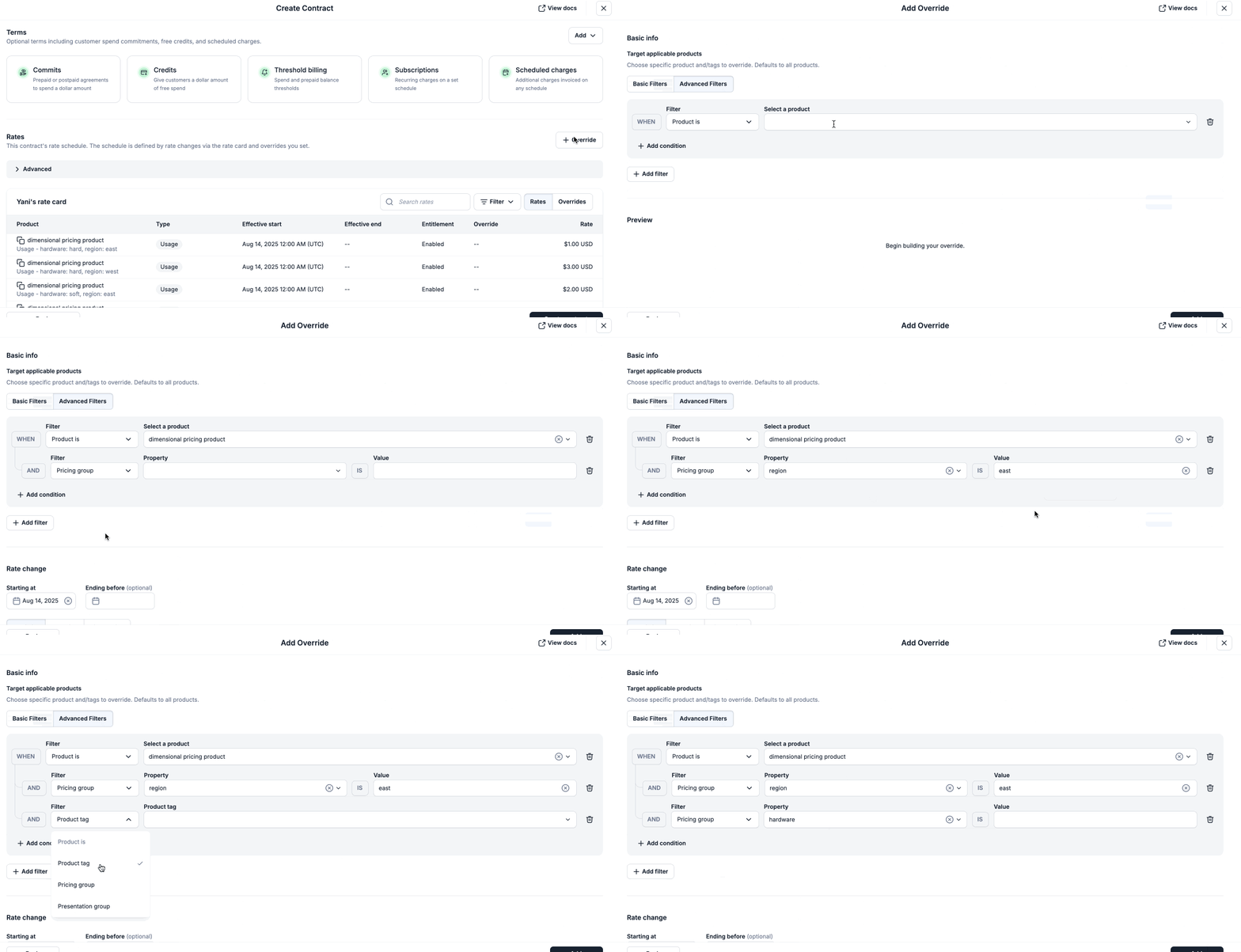
- Apply a one-off discount for a specific customer
org_idshown on invoices. - Dimensional pricing examples include: Apply a 10% discount on
Data Storageusage only inus-east-1andus-west-1regions. - Apply a 5% discount only when
compute_typeisbatchacross allmodeltypes.
New releasesUI
Custom Reports
Custom Reports provides access to custom Metronome datasets in CSV format without needing to set up a full Data Export pipeline — helping unblock critical revenue recognition, compliance, and financial reporting. These reports are available for download in the Metronome app.To get started, contact your Metronome Solutions Architect with your reporting requirements. Once the report is configured, you can trigger it from the Reports tab in the app and download the results as a CSV.Custom Reports is a paid feature. Reach out to your Metronome Solutions Architect to learn more. See docs here.New releasesAPINotificationsUI
Customer Lifecycle Notifications
Customer Lifecycle Notifications deliver real-time webhooks for contract, credit, and commit events, with built-in offset logic to support in-product, internal, and customer-facing workflows.This feature:- Supports time-based events (e.g. when a contract begins or ends) and write-based events (e.g. when a contract is created or edited).
- Enables flexible time-based offsets so you can trigger actions before or after events.
- Keeps your systems and workflows in sync without polling, manual tracking, or brittle scripts.
- Internal alerts: Pipe events into Slack, Salesforce, or your CRM to give GTM teams more timely notifications on renewals and expansions. Notify engineering on contract changes to ensure entitlement systems are synced and running properly.
- In-product experiences: Trigger upgrade nudges, trial reminders, or credit update notifications directly in your app.
- Customer-facing communications: Connect to email or messaging systems to keep customers informed about renewals or changes before they happen.
- Threshold: usage or spend-based alerts
- Offset: customer lifecycle notifications with time-based offsets
- System: default customer lifecycle notifications with no configuration needed
New releasesAPINotificationsIntegrationsUIPricing and Packaging
New documentation experience
We’re excited to share a major upgrade to Metronome’s documentation experience—bringing intelligent search, interactive learning tools, and a more intuitive structure to help users navigate, understand, and leverage our billing architecture.These enhancements are designed to streamline onboarding, accelerate development, and elevate the overall documentation experience.What’s new
Ask AI
- AI-powered chat interface embedded directly within documentation, allowing you to ask conversational questions about how to use Metronome to set up and maintain your billing architecture.
API playground
- Interactive API explorer built into documentation pages. You can craft requests, execute them, and examine responses in real time without navigating away.
Improved search and information architecture
- Upgraded search functionality with enhanced indexing, optimized relevance ranking, and natural-language understanding to surface content more accurately.
- Revamped information architecture reorganizes content into a cleaner, more intuitive hierarchy—making it easier to navigate topics, concepts, and reference material.
Expanded guides
- Added additional guides focused on helping Metronome users getting started quickly such as Planning Your Billing Architecture, Getting to an Invoice, Testing Strategy, Production Checklist.
- Updated core API usage documentation with refreshed guides on Authentication, Idempotency, and Responses
Updated API reference descriptions
Each endpoint now includes:- What the endpoint does
- Why you would use it
- Important caveats or usage notes
ImprovementsAPIUIPricing and Packaging
August fixes and improvements
UI
-
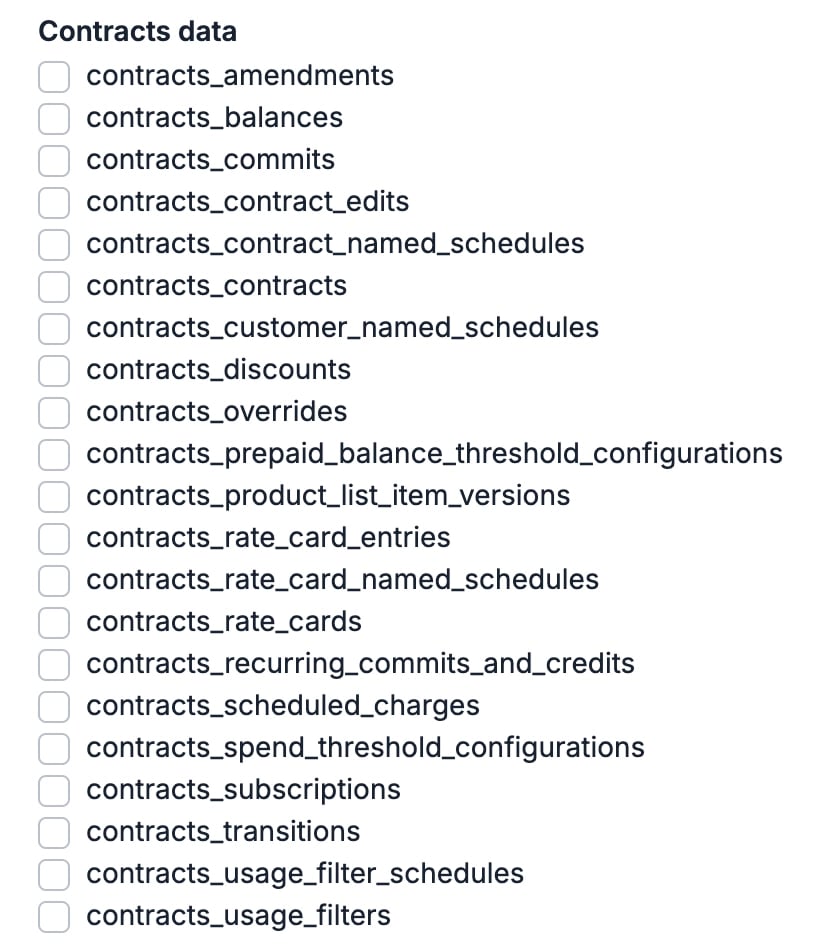
Select contracts data when setting up your data exports in the UI.
- Edit the priority of both contract-level and customer-level commits in the UI.
-
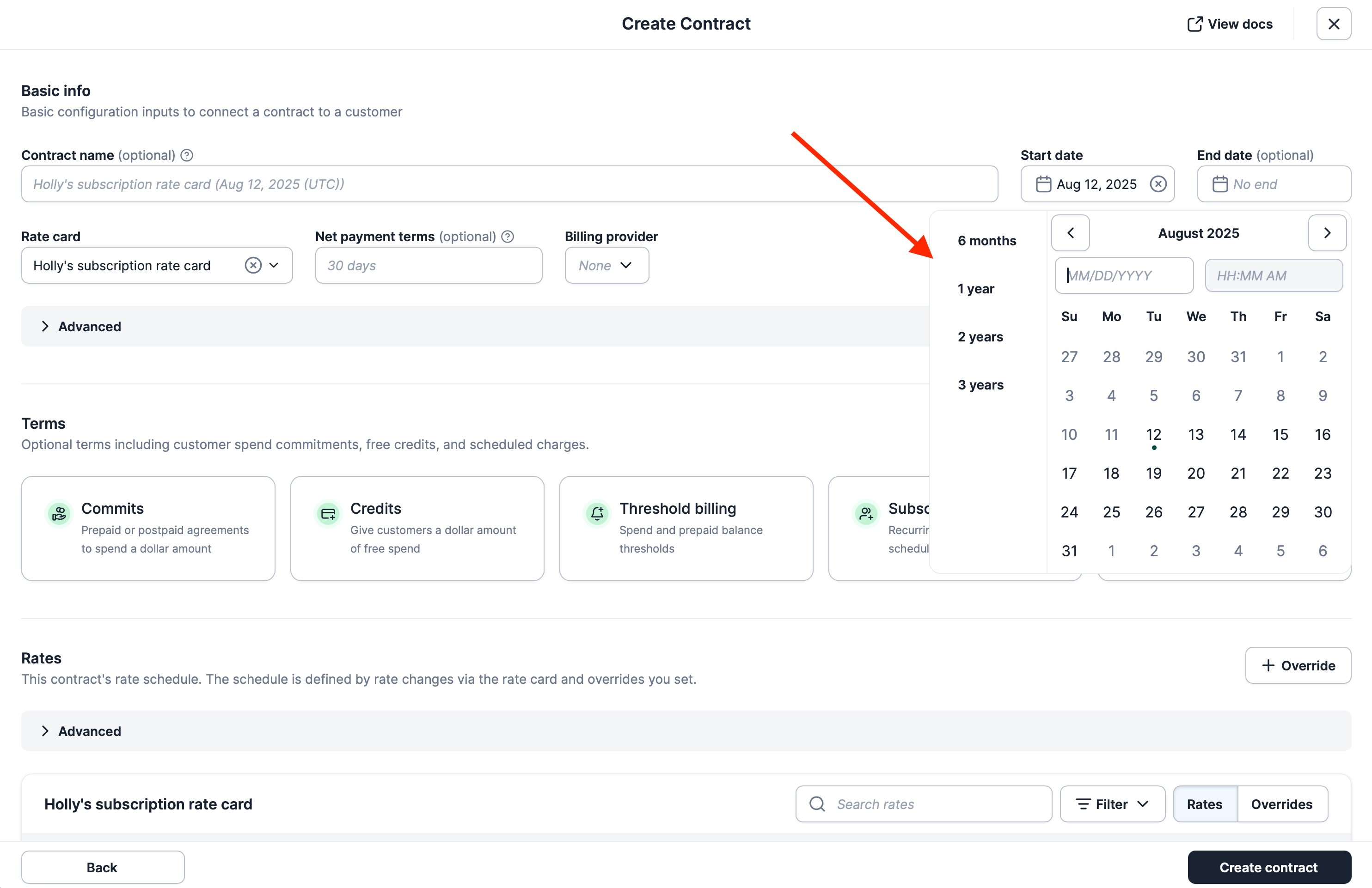
Select a date preset when creating a contract in the UI.
-
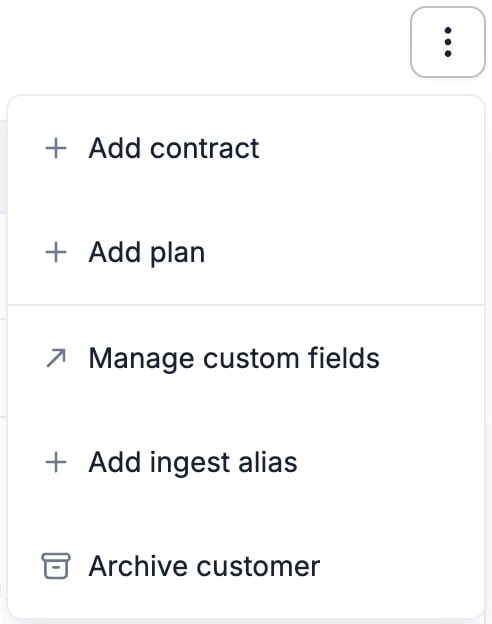
Access a set of quick actions on the customer page by clicking the ellipsis in the UI. You can add a contract, add a plan, manage custom fields, add ingest alias, and archive the customer.
-
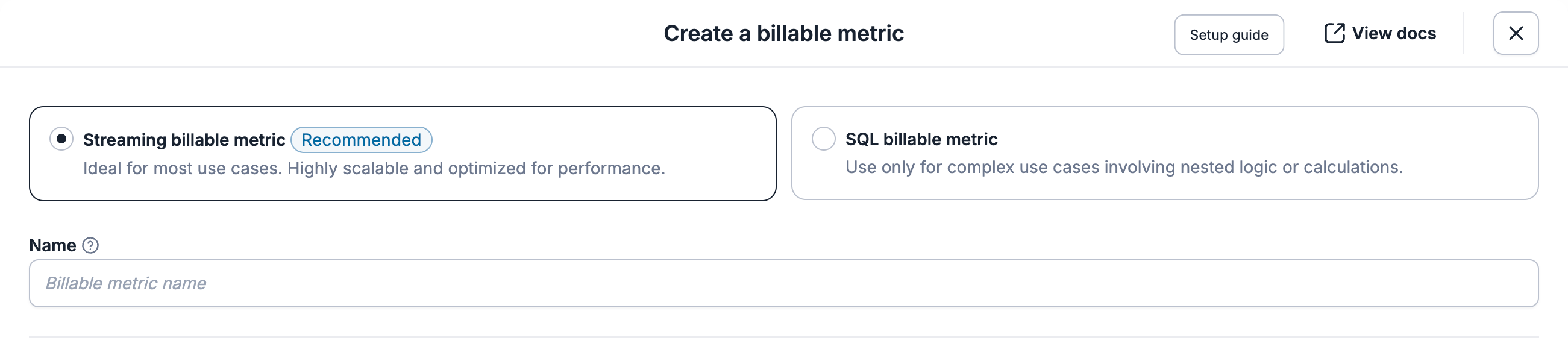
Updated Billable Metric descriptions to provide additional guidance around the use case for each type.
API
- Edit the priority of both contract-level and customer-level commits through the API using the edit a commit endpoint.
- Create products through the API with custom fields attached.
- Create scheduled charges through the create contract endpoint with custom fields attached.
- View the “type” of invoice line items in our API. You can see this field in the get an invoice, list invoice breakdowns, and list invoices endpoints.
- v0.3.0 versions of our Node, Go, Python, and Ruby SDKs are available.
- Add a “uniqueness_key” parameter when using our edit contract endpoint to ensure changes are applied once.
New releasesUI
Invoice breakdowns in Data Export
We’ve introduced Invoice Breakdowns in Data Export, giving you daily and hourly granularity on invoice and line item spend—directly in your data warehouse.This feature makes it easier to:- Build usage analytics dashboards with daily or hourly consumption trends
- Track revenue recognition and monitor daily revenue
- Identify peak usage periods throughout the month for capacity planning and cost optimization
- Generate detailed billing and finance reports for finance teams and customer success
- Troubleshoot billing disputes by examining usage patterns throughout the calendar month
- Power real-time cost monitoring and alerting systems
ImprovementsAPINotificationsIntegrationsUIPricing and Packaging
July fixes and improvements
UI
- Contract edits now support setting a Stripe billing provider after the contract has been created.
-
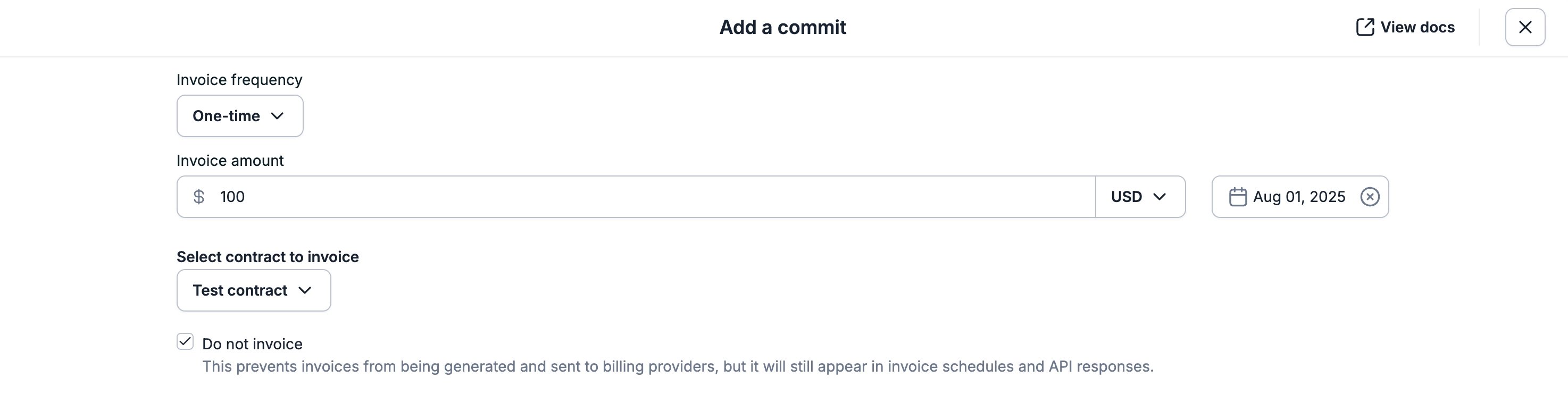
Add a prepaid or postpaid commit for a customer in the Metronome UI without generating an invoice. This is useful when invoicing contract commitments outside of Metronome, or when migrating already-billed credits or commits within Metronome.
- Contract names can be edited through the UI.
-
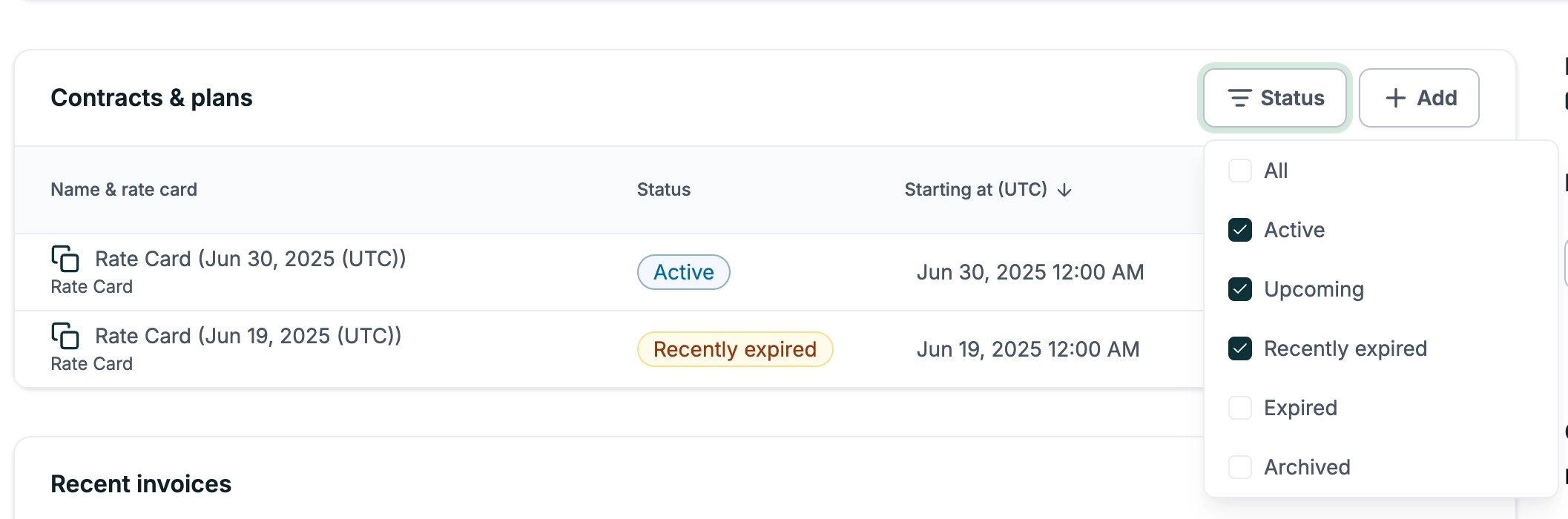
Filter preferences on the Contracts and Plans Table as well as the Invoices table will be saved. When you customize how you view invoices, contracts, or plans, your preferences are automatically saved and are persistent across each customer page.
-
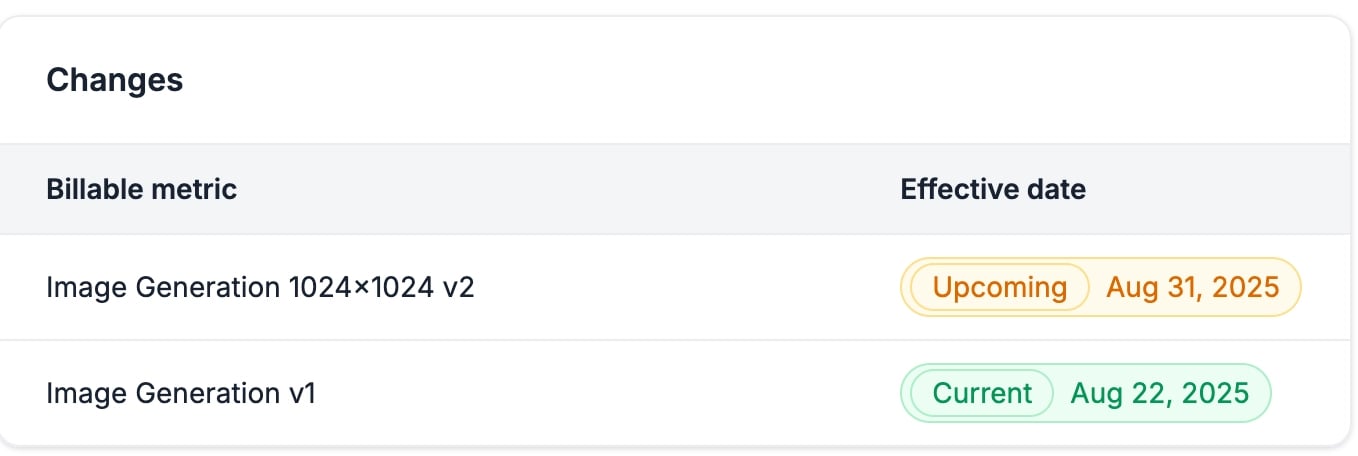
View the history of billable metric changes on a product in the Metronome UI.
-
Create a billable metric directly from the product creation page.

- View IP address and user agent in the audit logs in the Metronome UI.
-
Commits now contain metadata on when they were created. This can be viewed in the UI through Commit->View metadata.

- Design components now have consistent colors across the whole platform.
- Users can now filter and view archived products within the UI.
- Search functionality has been added for all alerts attached to a customer.
- 1Password will now only recognize password-related form elements, ignoring all others.
- Added space visualization for pricing group keys/values, making leading and trailing spaces visible to users.
API
- The Search events endpoint allows you to fetch matched billable metrics and customers by transaction ID (last 34 days). This endpoint can help with testing your Metronome integration.
- Add a prepaid or postpaid commit for a customer in the API without generating an invoice. This is useful when invoicing contract commitments outside of Metronome, or when migrating already-billed credits/commits within Metronome. You can set the “do_not_invoice” field in the API when creating a new commit using the
/v1/contracts/customerCommits/create,/v2/contracts/edit, and/v1/contracts/createendpoints. - Contract names can now be edited through the API. Provide
update_contract_namein thev2/contracts/editAPI to update this field. Setting the value tonullwill un-set the name. - Commits now contain metadata on when they were created. This can be viewed in the API under commit.created_at in the
v2/contracts/get,v1/contracts/customerCommits/list, andv2/contracts/listendpoints. - v0.1.0 and v0.2.0 versions of our Node, Go, Python, and Ruby SDKs are available.
Integrations
- Send Metronome events to Slack without building a custom webhook handler.
New releasesAPINotificationsUI
Use group keys to set budgets across users, teams, and projects
Metronome now supports spend-based alerts scoped to group key values, giving customers a powerful way to monitor usage and set budgets across users, teams, projects, or any relevant dimensions.These alerts give customers the spend visibility and controls needed to avoid billing surprises and proactively manage spend.Alerts can be triggered when spend for a specific group key value crosses a defined threshold.Examples include:user_id = 123exceeds $1,000 in spendproject_id = ai_labconsumes more than 100 AI credits
New releasesAPIUIPricing and Packaging
Seat-based credit pools
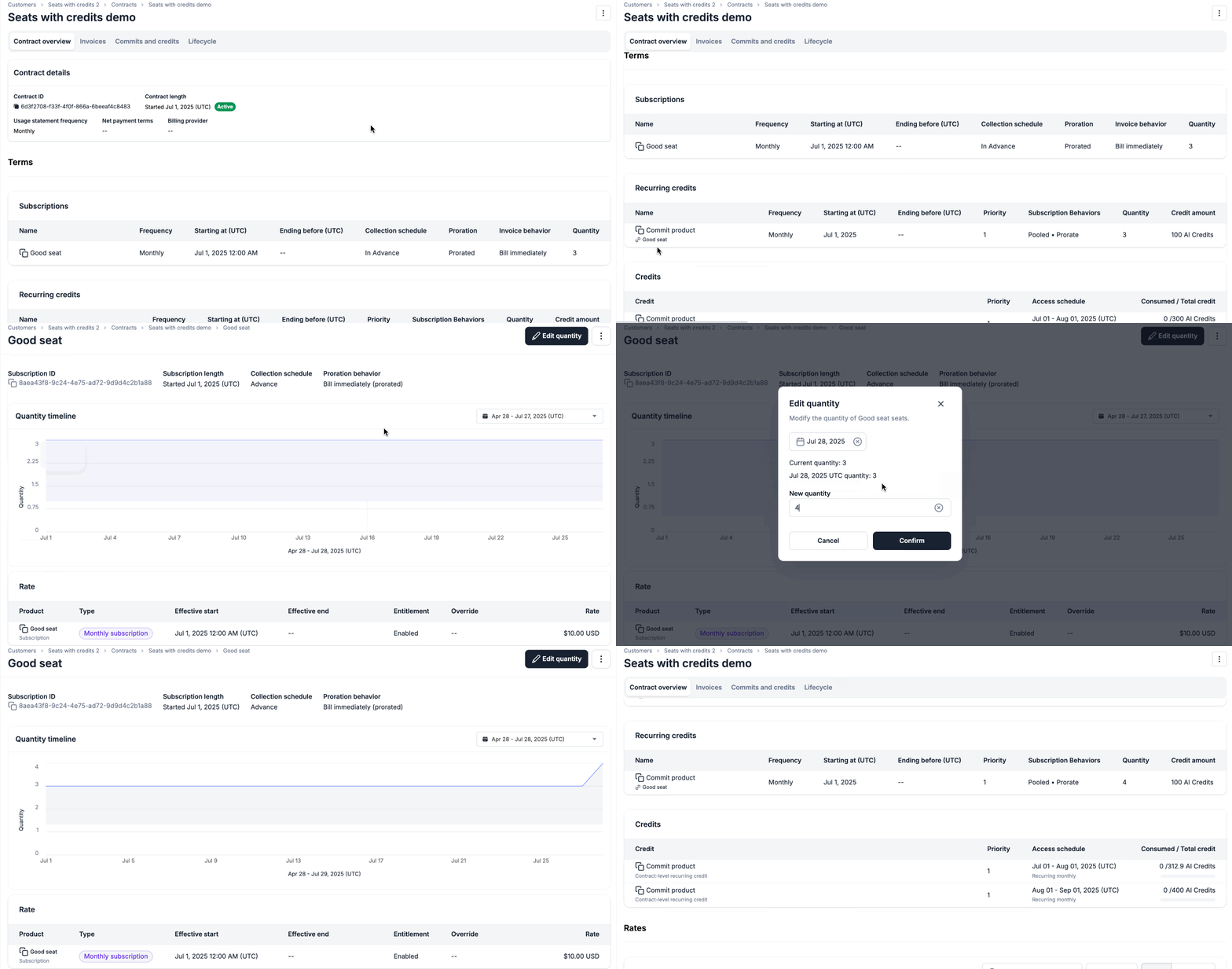
- Charge per seat and grant credits to a shared pool
- Automatically adjust credits when seats are added or removed
- Track usage against the pool and set spend alerts by user or team. See our docs on creating spend alerts by group key here.
- Using Metronome only: Create customers and contracts with a subscription and linked recurring credit. Then, send Metronome the increments or decrements when customers add or remove seats.
- Using Metronome and Stripe: Continue using Stripe for subscriptions and Metronome as a credit add-on. Create a $0 subscription in Metronome and link it to the recurring credit. Then, send Metronome and Stripe the increments or decrements when customers add or remove seats.
- Launch and manage seat-based credit pools with ease
- Reduce engineering effort
- Speed up financial reporting and reconciliation
- Improve the end-customer experience with real-time transparency and controls
New releasesAPI
Embeddable dashboard for credit and commit balances
We now have an embeddable dashboard for credits and commits that gives customers real-time visibility into their remaining balances, drawdown history, and expirations.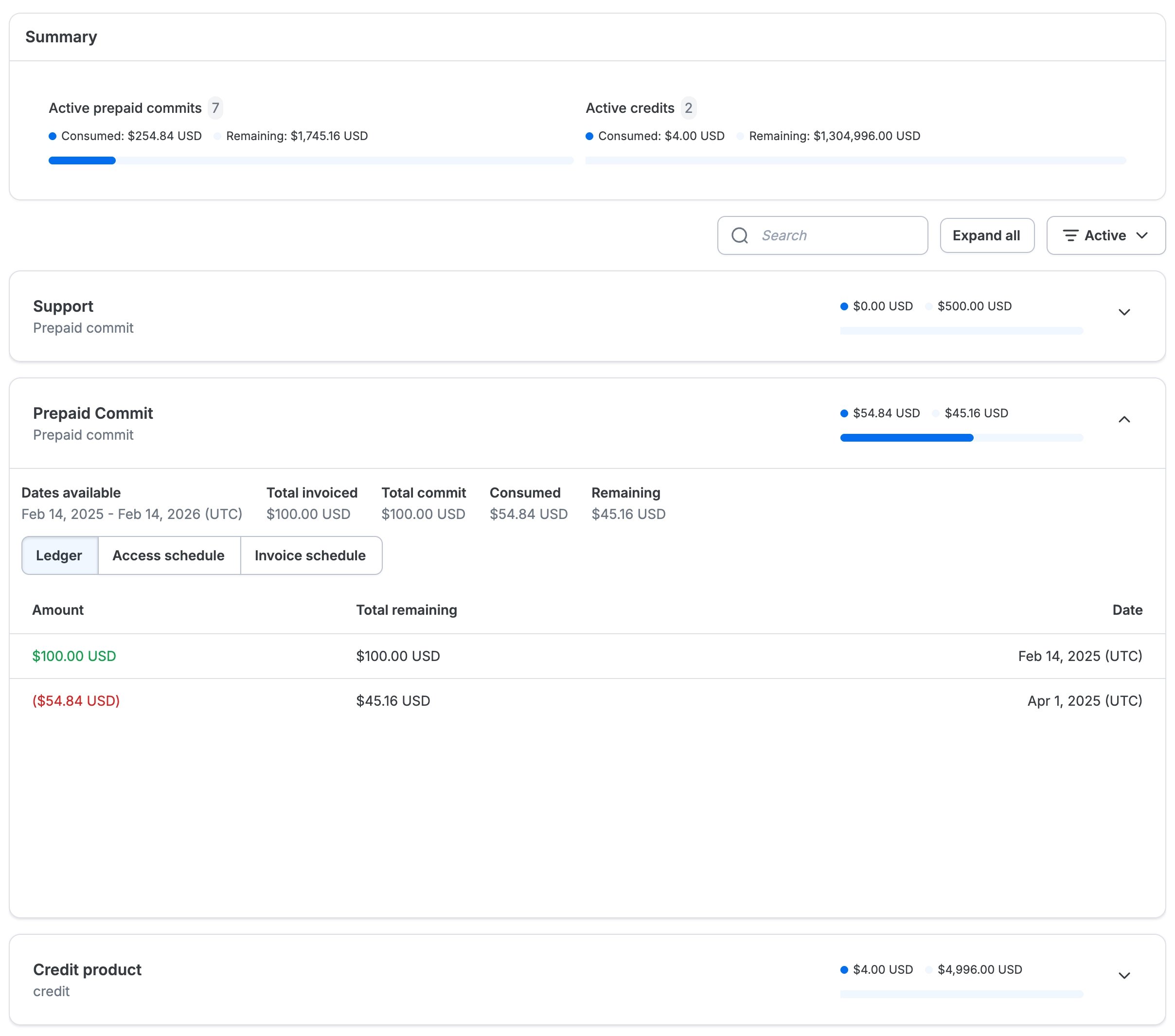
- Remaining and historical commit/credit balance
- Grant and deduction history
- Access schedules
- Relevant metadata (such as expiration)
New releasesAPIUIPricing and Packaging
Threshold billing and auto-recharge
Metronome now supports threshold billing, giving customers more options to balance customer adoption and company safeguards for their PLG motion.What’s new
- Payment-gated commits: manually create a commit which is gated on successful payment collection. This can also be used to power threshold billing and hybrid subscription models where payment is required before access. See docs here.
- Spend threshold billing: bill customers when they hit a defined spend threshold. This option balances low customer friction with automated company safeguards against runaway usage or fraud. See docs here. How it works: Set an invoice spend threshold on the contract via the create contract flow.
- When a user hits their spend threshold, you are alerted via webhook and a prepaid commit is issued, bring the total outstanding spend for the customer back to $0.
- Configure whether the release of the commit should be gated on successful payment collection.
- Auto-recharge (prepaid balance thresholds): automatically charge for and top up a customer’s balance when it falls below a threshold. This minimizes potential fraud risk via a prepaid model while ensuring uninterrupted product access for end users. See docs here and view our launch guide for prepaid credits here. How it works: On contract creation, configure the recharge threshold that triggers a top up and the amount the customer should be recharged to.
- When a user hits the threshold amount, you are alerted via webhook and a prepaid commit is issued.
- Configure whether the release of the commit should be gated based on successful payment collection.
New releasesIntegrations
Set up multi-entity billing
Metronome now supports multi-entity billing with Stripe, allowing customers to connect multiple Stripe accounts to a single Metronome environment and configure which Stripe account each contract on a customer should be billed to. As part of this, clients can also customize invoice presentation and other settings on a per Stripe account basis.This unlocks the ability for large-scale enterprises to manage billing complexity from operating across multiple geographies or business units. For example, companies billing North American and European customers from separate Stripe entities like “Stripe NA” and “Stripe EU” can now do so in a single Metronome environment.This capability helps companies to scale internationally, while staying compliant with local regulations.Multi-entity billing is available to all customers using Contracts. See docs here.New releasesAPIUIPricing and Packaging
Scope credits and commits to specific pricing or presentation group values
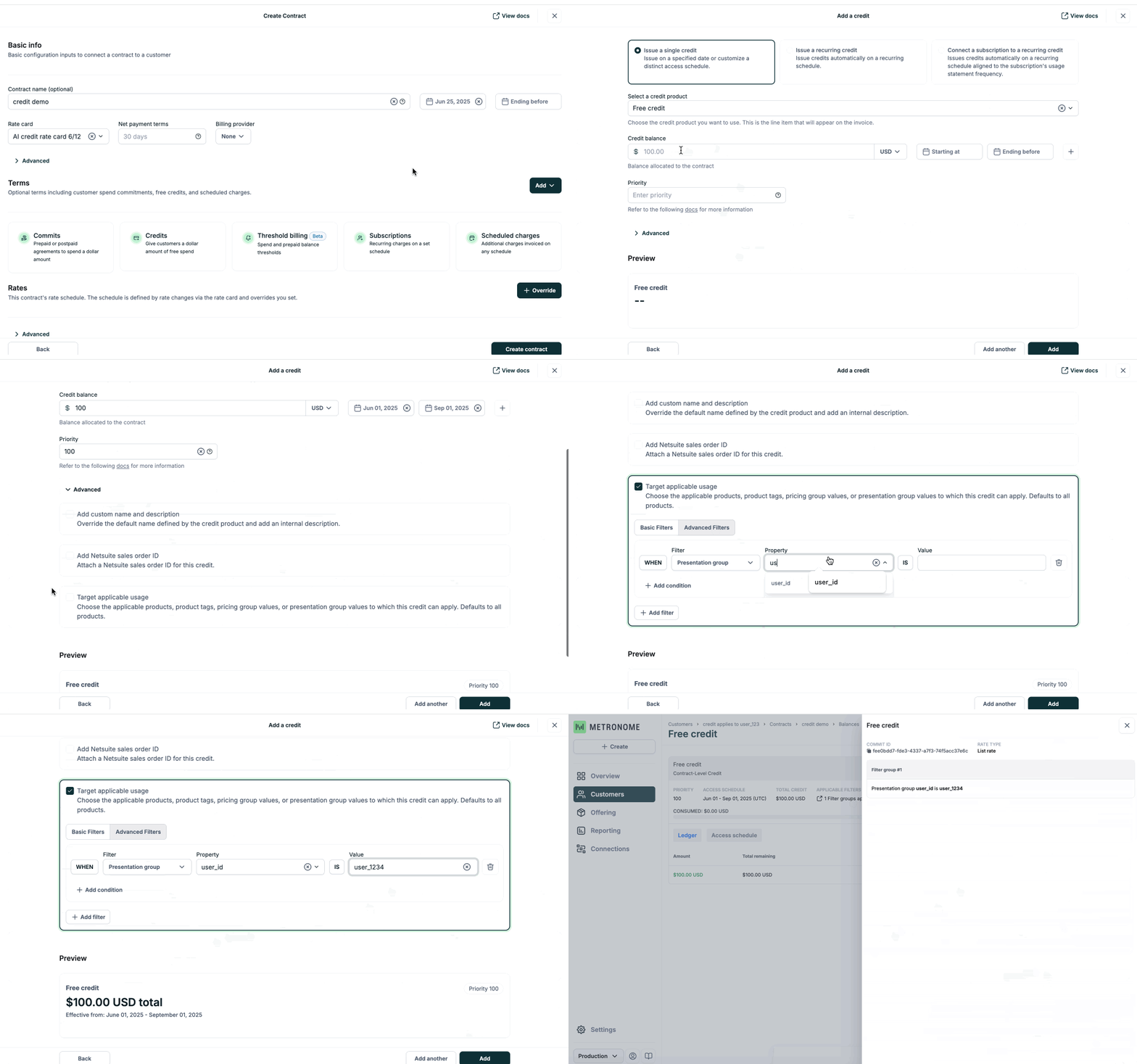
- Enterprise contract commits: A customer negotiating an enterprise contract may only plan to use a product in two specific regions, where region is a pricing dimension. You can now create a commit that only applies to usage within those regions.
- Per-user credit grants: A user on a Teams plan participating in a research study can be granted a free $10 credit as a thank you for their time. You can ensure that only this user can consume the credit—other users on the Teams plan won’t have access to it.
specifiers will also be exported on the commits, balances, and recurring_commits_and_credits tables.See docs here.New releasesAPIUIPricing and Packaging
Edit recurring commits and credits
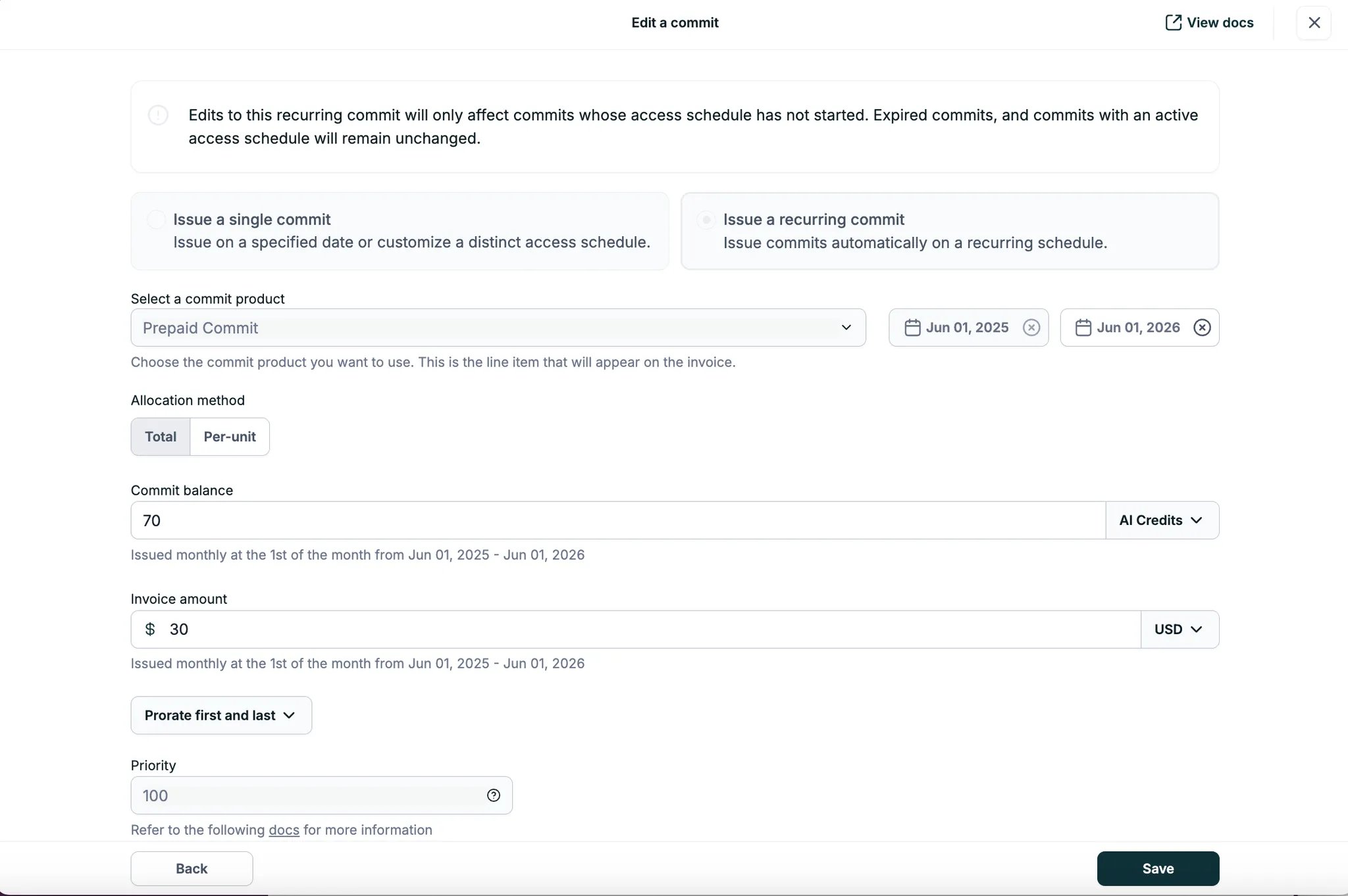
ending_beforeaccess_amountinvoice_amount(for commits)
access_amount of 50 credits and an invoice_amount of $30.If the cost of delivering the service decreases and the plan is to offer more credits at the same price, the contract can be edited to increase the access amount from 50 to 70 credits per month—without creating a new recurring commit.Editing recurring commits and credits is available in the UI and API to all customers on Contracts who have contract editing enabled. See docs here.If you do not have contract editing enabled and would like to have access, please reach out to your growth representative.New releasesAPIUIPricing and Packaging
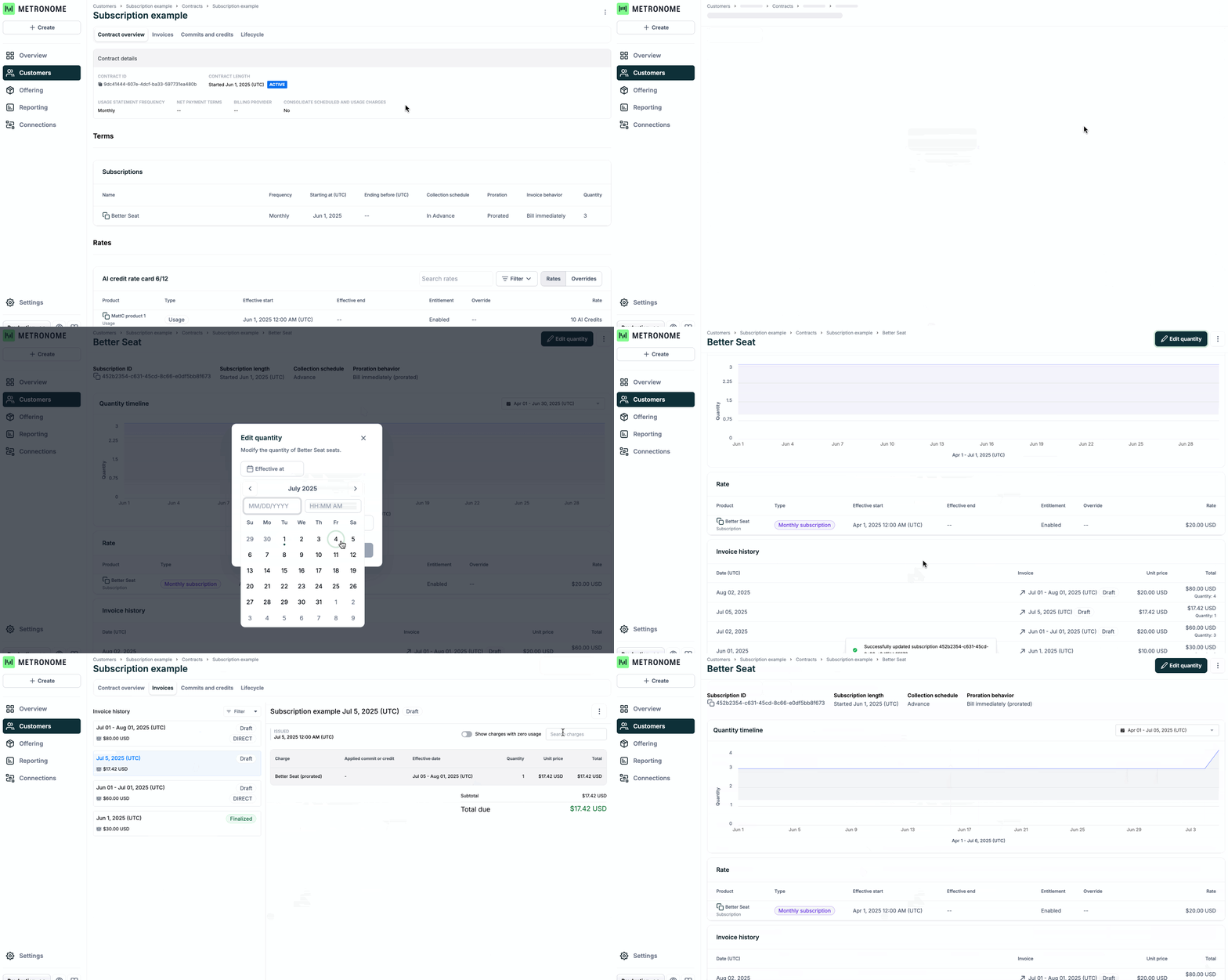
Support for seat-based subscription billing
ImprovementsAPIIntegrationsUI
April fixes and improvements
UI
- View the billing provider for a specific contract on the Contracts Overview page under Contract details.
-
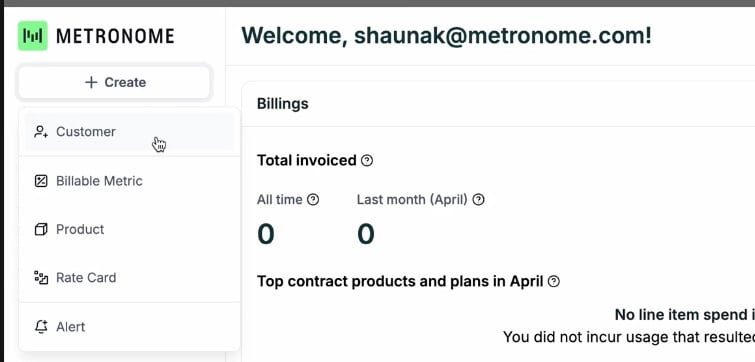
New dropdown in the dashboard sidebar lets you quickly create a customer, billable metric, product, rate card, or alert.
- Line items are no longer created for pricing group keys with no usage data. Note that unlike usage products without a pricing group key, Metronome does not create line items for each pricing group key unless it has usage data.
- Search weights for Products have been adjusted to deliver more accurate and relevant results.
API
getCustomerandlistCustomersendpoints now return acreated attimestamp for customers.- Product tags are now included in the
getInvoice,listInvoices, andlistBreakdownInvoicesendpoints to make it easier to view product metadata for any invoice. - Rate cards can now be archived from both the UI and API, making it easier to manage your production environment. API docs here.
Integrations
- Metronome
customer_idis now included as metadata on Stripe invoices, helping you track how customer ids are mapped between Metronome and Stripe.
New releasesAPIUIPricing and Packaging
Remove overrides and archive commits and scheduled charges
You can now archive commits and scheduled charges as well as remove overrides when editing a contract.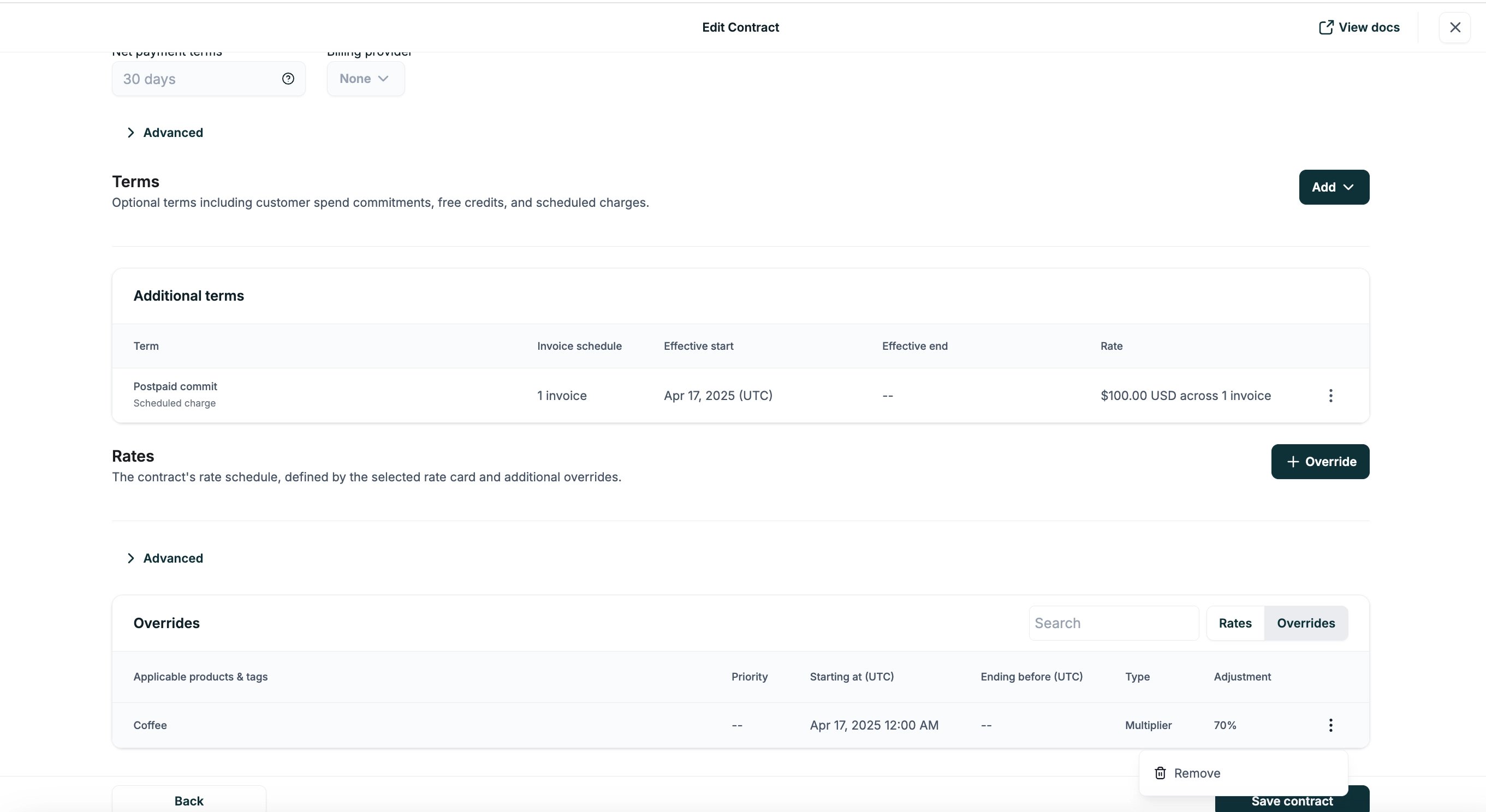
New releasesPricing and Packaging
New releasesAPI
New releasesUI
Updated UI for creating and editing contracts, customer-level commits, and customer-level credits
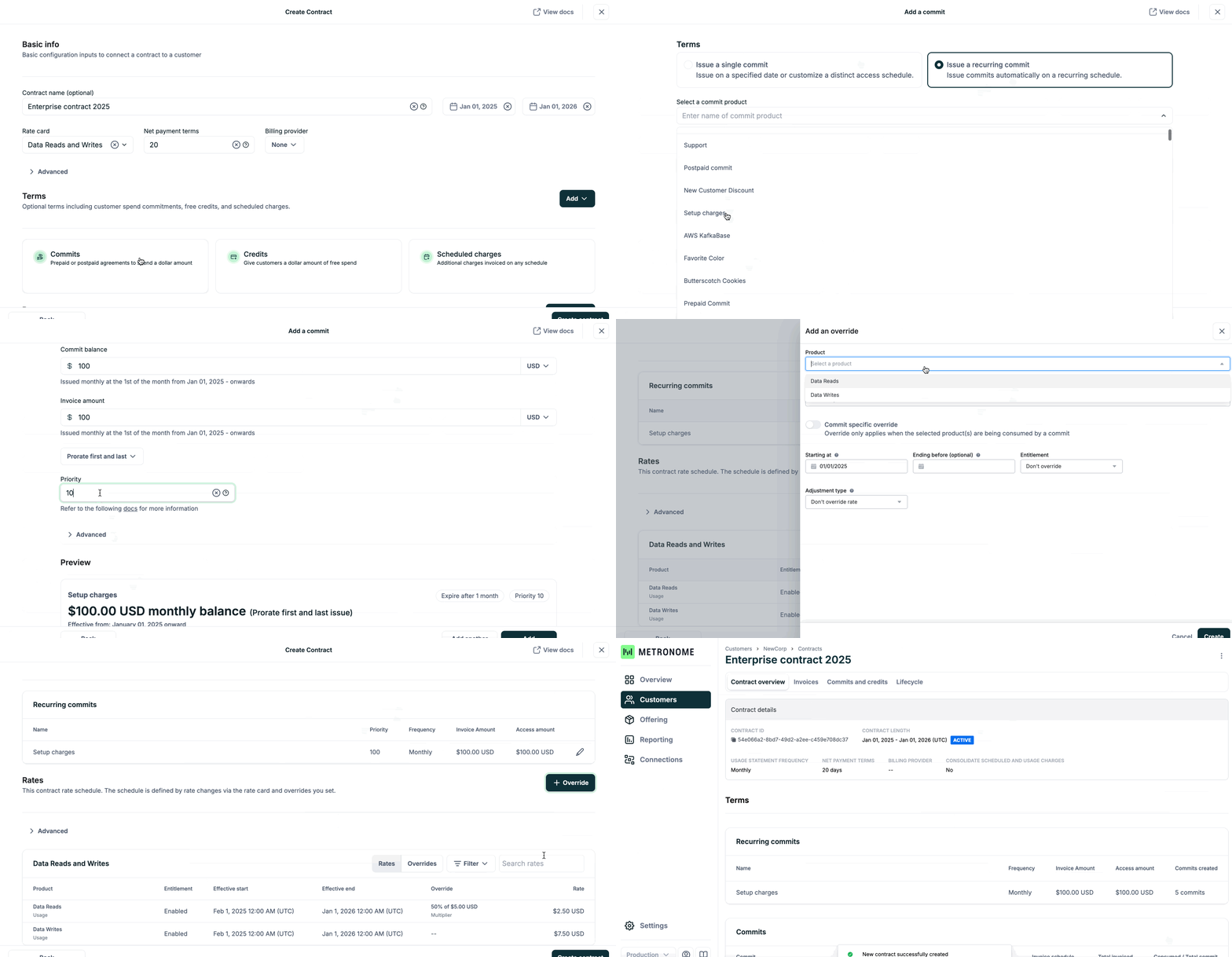
- Deal desk teams quickly create complex enterprise contracts with commitments and discounts.
- Finance and billing operations teams efficiently manage workflows like granting free credits, extending commit terms, and correcting manual entry mistakes.
ImprovementsUI
Edit rates in the Rate Card UI
Previously, updating a rate in the UI was done by appending a new rate. Now, you can also edit existing rates in the Rate Card UI using the Edit rate button.The form is pre-populated with the existing rate values, making it easier and more intuitive to update pricing.New releasesAPINotifications
Usage threshold alerts supported on Contracts
Customers using Contracts can now set usage threshold alerts for any billable metric.How it works: The alert monitors raw usage volume, sums usage across active billing periods, and triggers when a defined quantity threshold is reached.This makes it easy to track usage milestones and surface potential issues before they lead to billing surprises or customer escalations.Example supported use cases include:- Internal workflows: Alert account teams when customers approach usage limits, enabling proactive outreach.
- Detect misuse or misconfiguration that could have financial impact to the business.
- End-customer experience: Power in-product alerts when usage nears a limit and allow customers to set their own usage thresholds alerts.
- Enable contextual upsell nudges based on actual usage.
New releasesAPIUIPricing and Packaging
Contract editing
Clients now have additional flexibility to self-serve edits to contract terms—including commits, credits, scheduled charges, and more—directly from Metronome’s UI or API.Contract editing allows you to react quickly to business needs, such as correcting manual entry mistakes or adjusting a contract mid-period to reflect an upsell or change in terms.This feature is available to all clients using Contracts. Read more in our docs.New releasesAPIUIPricing and Packaging
Support for weekly frequencies for billing, recurring commits, and credits
In addition to monthly, quarterly, and annual billing frequencies, Metronome now supports weekly billing frequencies. This gives you more flexibility to bill customers at the cadence that best balances the customer experience and revenue collection.Weekly frequencies are also supported for recurring commits and recurring credits, enabling even more granular contract configurations.This feature is available to all customers using Contracts, in both the UI and API. See our API docs for more information on how you can setusage_statement_schedule to weekly for billing, or set recurrence_frequency to weekly for recurring credits and/or commits.New releasesAPINotificationsIntegrationsUIPricing and Packaging
In Tempo: Spring 2025 changelog
What’s new
We’re excited to share our first changelog of the year!Highlights from this update include:- Expanded alert functionality for contract balance and spend threshold alerts
- New invoice breakdowns API
- Expanded business model support for recurring commits & credits, commit rates, and commit-specific overrides
- New Metronome Trust Center
- Continued Metronome 1.0 -> 2.0 parity investments
Alerts
Resolved notifications on contract balance alerts
For contract balance alerts, we now have the ability to send a “resolved” notification when the alert transitions fromin-alarm to resolved. This provides an accurate, real-time indication of when customers have purchased additional credits or commits, helping to manage customer transitions between entitlement states. See docs here. If you are interested in turning on this functionality, reach out to your Metronome representative.Custom field filters on spend threshold alerts
Alerts can be configured to track spend for contracts with a particularcustom_field. This allows you to target your alerts to specific contracts or subsets of contracts. For example, you could segment your customer base into customer cohorts by labeling each contract with a custom_field, and easily implement different spend threshold alerts for each cohort. See docs here.API investments
Invoice breakdowns
List daily or hourly breakdowns of customer invoices, optionally filtered by status, date range, and/or credit type. Invoice breakdowns provide consistent and repeatable record of customer spend, credits, and commits broken into hourly or daily buckets to help you power reliable customer-facing revenue analyses and spend dashboards. See API docs here. For more details on leveraging this data to power customer-facing dashboards, see docs here.List balance calculation per commit or credit
The/listCustomerBalances API now returns the amount of a specific credit or commit that a customer has access to use at this moment by summing up all of the ledger entries for a commit or credit. The API allows you to easily display this information to customers, as well as facilitate downstream Finance, RevOps, and GTM workflows based on credit or commit balances. See docs here.Uniqueness key on CreateCustomerCommit and CreateCustomerCredit APIs
/createCustomerCommit and /createCustomerCredit APIs now include the option to add a uniqueness_key to the request body to prevent creating duplicate commits or credits on retry. Request retries with a previously-consumed uniqueness key will fail with a 409 Conflict Error.The /listCustomerCommits and /listCustomerCredits APIs also now include the uniqueness_key. See docs here.Product custom fields in invoice and rate card APIs
Product custom fields are now available in the/getInvoice, /listInvoices, /listRateCards and /getRateSchedule API endpoints. See docs here.Prevent updating contract end date to before end_timestamp of existing finalized invoices
In the/updateContractEndDate API, you can now set a flag to prevent you from ending the contract earlier than the end_timestamp of existing finalized usage invoices on the contract. This scenario can happen if a contract is created, a usage invoice is finalized, and the end date of the contract is later changed to end before an existing finalized invoice. See docs here.- If you would like to prevent backdating contract end dates before finalized usage invoices, you can set
allow_ending_before_finalized_invoice=falsein the request body. - In the frontend, we always allow backdating the contract end date. There is a warning in the UI: “Finalized invoices will be unchanged (void scheduled invoices to remove them, and void and regenerate usage statements to incorporate the new end date).”
Business model support
Recurring commits & credits
As part of a subscription or contract, organizations commonly allocate a fixed amount of usage to a customer. The amount generally scales with the tier of the plan, such as Good, Better, and Best. Organizations adopt this model to get the benefits of subscriptions with fixed recurring revenue and usage-based billing with collecting on overages. Model this behavior in Metronome by setting up a recurring credit or commit on a Contract.You can create a recurring credit or commit on a Contract via the/createContract API. You can specify a recurrence period distinct from the usage statement cadence and optionally choose to prorate the first and/or last month’s commit value. Once created via API, you can view recurring credits and commits in the UI and data export. See docs here.Commit rates and commit-specific overrides
Companies often prefer that their customers commit to spending thresholds upfront to generate more predictable revenue. To incentivize customers to do so, companies will offer discounts for larger commitments. Metronome provides the flexibility to model these discounts in two primary ways:- Reduce the cost basis for the commit
- Create commit-specific overrides on the customer contract
Composite charges with >100% rate
You can set a composite charge to have a percentage rate that is greater than 100%. This change increases the flexibility of composite charges to support creative pricing and discounting schemes. Learn more about creating composite charges here.UI improvements
Lifetime billings on the Customers list page
In our Customers list view, we now show the total lifetime billings for each individual customer. This makes it easier to find the customer you are looking for if you have multiple customers with similar names.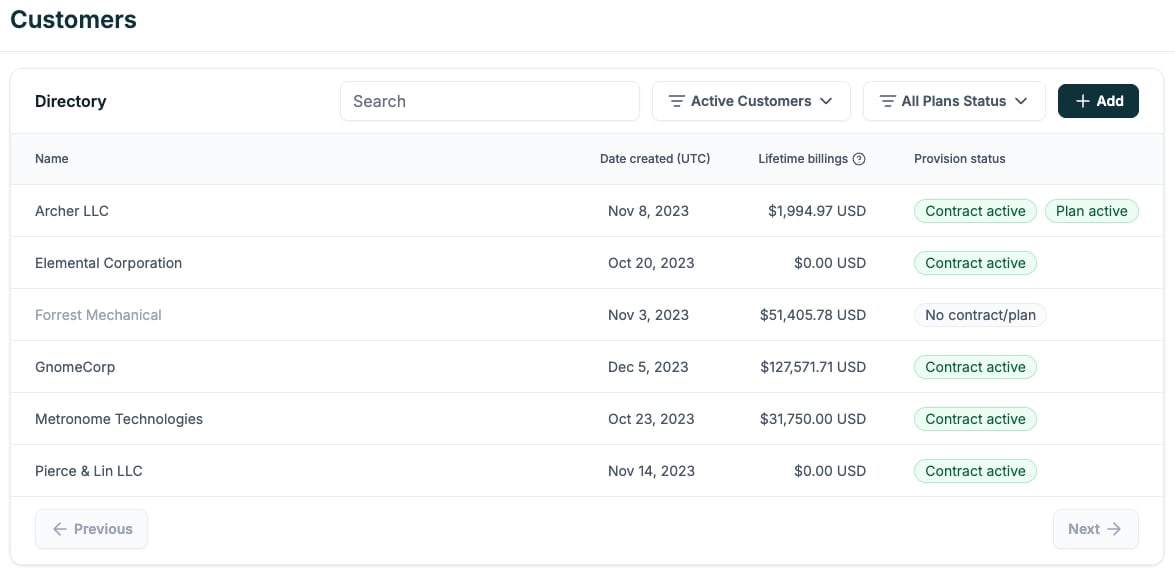
UI badges for customer commits and credits status
We have added badges in the UI indicating if a commit is expired, upcoming, pending, or voided. This makes the status of each commit more easily understandable in the default views. Expired commits are hidden by default, but can be exposed by selecting “Expired” within the status filter.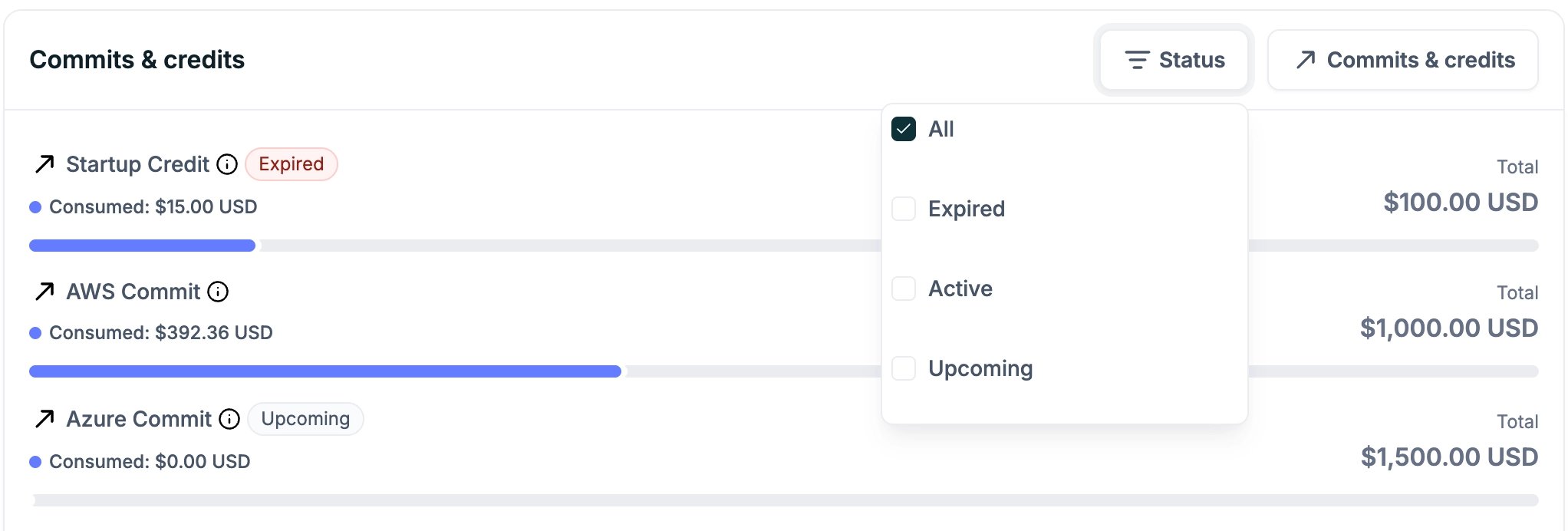
Security
Metronome Trust Center
Trust and security are core to our commitment to our customers. The Metronome Trust Center provides a centralized location for our latest SOC reports and information related to common questions around security.IP Address and User Agent in Audit Logs
IP address and user agent fields are now included in audit log entries. Since this information was not previously tracked, audit logs from before 1/8/2025 will not include these two fields.Integrations
Control service period reporting in Stripe
You can choose to have Metronome set the “Invoice Date” (also called the “effective_at” date) at the top of your Stripe invoices with the last date of the invoice’s service period. This can simplify revenue reporting processes which key off of Stripe, ensuring usage invoices are tracked against the correct period. If left unset, by default Stripe populates this date with the date the invoice is finalized. See docs here.Data Export
Balance calculation per commit or credit
Thecommits and balances tables now include a balance field, which reflects the current balance of the commit as of the time the exported report was generated.The balance will match the sum of all ledger entries with the exception of the case where the sum of negative manual ledger entries exceeds the positive amount remaining on the commit. In that case, the balance will be 0. All manual ledger entries associated with active commit segments are included in the balance, including future-dated manual ledger entries. See docs here.Metronome 1.0 → 2.0 parity investments
In October, we launched Metronome 2.0—a major milestone in Metronome’s mission to turn billing from a bottleneck into a growth lever. Since then, in addition to the net new feature development noted above, we have been working to complete the process of extending support for existing Metronome 1.0 features to Metronome 2.0.AWS and Azure Marketplaces
Our native AWS and Azure integrations make it easy to use Metronome’s usage aggregation and pricing capabilities while still invoicing customers through marketplaces. In addition to setting a global billing provider per customer, billing providers can also be assigned per individual contract, providing flexibility to support multi-cloud customers. This allows you to deploy a multi-cloud commitment GTM motion, unlocking larger volumes of committed customer spend while Metronome manages the tracking of the commitment across clouds. See docs here.International Currencies
We support 16 international currencies, providing you with a single platform that can handle usage-based billing for all of your international business lines, allowing you to move faster and simplify your billing operations. See docs here.Invoices and usage embeddable dashboards
Embeddable dashboards allow you to embed Metronome usage data and customer invoices into your website, making it easy to integrate world-class usage and cost visibility into your product experience and increase customer trust. This is the first step to getting to parity with our plans version of this feature, so that we can build beyond it. See API docs here.Get in touch
Enjoying our changelog? Have feedback on how we can improve it? We’d love to hear from you! To learn more about these features, get in touch with us here or reach out to your Metronome representative.New releasesAPINotificationsIntegrationsUIPricing and Packaging
Metronome 2.0
As we enter the next phase of innovation with Metronome 2.0, we’re thrilled to roll out the latest features that are designed to make pricing and billing simpler, faster, and more flexible. From a revamped pricing data model to enhanced commit contract functionality, our platform now gives you more control than ever to fine-tune your pricing strategy and scale effortlessly. Whether you’re looking to manage rate cards from a single source of truth, customize pricing down to the granular level, or automate workflows to streamline customer billing, Metronome 2.0 has you covered.While there are hundreds of features included in Metronome 2.0, this changelog highlights key investments we’ve made to the platform:Simplify pricing updates with a centralized rate card model
- Use centralized rate cards as your single source of truth for pricing. Easily manage and roll out updates for all customers—whether on standard or custom pricing—from a single place. Learn more about managing rate cards.
Offer custom pricing with granular customer configuration
- Customize pricing with flexible discounts and overrides to any part of your list pricing, without needing new one-off plans. Make granular, time-based adjustments for individual customers and schedule updates to apply instantly, in the future, or retroactively. Learn more about customizing pricing.
Win high-value customers with flexible commit contracts
- Empower your sales team to secure long-term commitments with our flexible commit model. Support prepaid or postpaid options, adjust schedules, and implement rollover or overage policies. Easily manage and update contract terms and balances throughout the customer lifecycle, from land to renewals and expansions. Learn more in our enterprise commit launch guide.
Segment pricing with dimensional pricing
- Optimize your pricing by offering different price points based on factors such as customer segments, markets, regions, or costs. Easily segment a single metric by any dimension using pricing group keys and apply targeted discounts where they matter most—without creating multiple billable metrics. Learn more about dimensional pricing.
Design fully flexible SQL billable metrics
- Easily construct queries on raw events with minimal pre-aggregation. Iterate pricing and backdate changes without altering your data pipeline or re-ingesting events. Learn more about billable metrics.
Offer convenience and choice with multiple contracts per customer
- Allow an organization to create multiple active contracts, from PAYG to enterprise agreements, each tailored to specific projects or teams. Learn more about customer and contract provisioning.
Improve transparency with flexible billing presentation
- Customize your in-product billing dashboard to give customers clear visibility into their real-time usage and spend. Allow them to track cost breakdowns by any metrics and time frames for better control over their budget. Learn more about building customer dashboards.
Streamline the customer journey with automated workflows
- Improve your product experience by automating every step of customer purchase and billing journey. With end-to-end API support, streamline key workflows both in-product and across business systems—from customer acquisition and provisioning to usage tracking and invoicing. Learn how in our API documentation.
Scale confidently with API-driven pricing management
- Manage your entire pricing and packaging with APIs. Enable efficient pricing updates, contract adjustments, and scalable billing processes. Ensure a consistent billing experience as your customer base expands and your pricing structures grow more complex. Learn how in our API documentation.
Provide customers peace of mind with spend control
- Give customers control over their spend with configurable alerts, allowing them to set custom budgets for projects and receive notifications when thresholds are exceeded. Learn more about customer spend controls.
Simplify targeted engagement with custom alerts
- Create flexible alerts for specific customer segments, sales motions, or promotions. Send relevant, real-time signals to your internal teams. Learn more about creating and managing alerts.
Increase sales efficiency with Salesforce data sync
- Equip your sales team with real-time insights for upsells, cross-sells, and churn prevention. Metronome syncs customer spend, usage, and commit balances to Salesforce daily, letting your team focus on selling, not data gathering. Learn more about syncing billing data into Salesforce.
New releasesAPINotificationsUIPricing and Packaging
In Tempo: Fall 2024
What’s new
API investments
Void invoice API
Programmatically void a finalized invoice via the API. This functionality is useful if you have mis-billed a customer or need to adjust and re-generate an invoice that has already been finalized. See API docs here.SDKs
We have published beta versions of SDKs in Go, Python, and TypeScript to provide a smoother developer experience for the Metronome APIs.Usage threshold reached alerts are now evaluated in real-time
This alert type sets a threshold for a specific billable metric and labels a customer as ‘in_alarm’ if the customer’s usage for their current billing period (or previous billing period if events are received during the grace period) reaches or goes above your set threshold. This alert type is now measured throughout the day, so you will be alerted as soon as a billable metric passes the threshold. See docs here.Invoice total reached alert
This alert type sets a threshold for an invoice total and sends a notification if any of the customer’s active invoices reaches or exceeds the configured threshold. Note that the invoice total used is the net total after any credits or other adjustments have been applied. This alert can also be configured to filter specific invoice types - for example, it can be set to only alert on usage invoices. See docs here.Business model support
Automatic mid-month seat purchase invoices
We’ve expanded our seat-based billing functionality. Now, when end-customers add new seats mid-period, you can opt-in to have prorated seat purchase invoices generate automatically. Every hour, Metronome assesses the latest seat usage for each customer with an active seat plan and compares it to the number of seats already billed for the period. If the current usage is higher, Metronome automatically generates a prorated seat purchase invoice. See docs here. If you are interested in turning on this functionality, reach out to your Metronome representative.Cross-invoice tiering
Usage can now be tiered beyond the invoicing period. Clients can configure how often the tier count should reset, providing the flexibility to tier usage over multiple billing periods. This update allows you to set a new ‘tier_reset_frequency’ value when modeling a usage-based tiered charge on a plan. If set to 0, the tier count does not reset for the duration of the customer plan. If set to any positive integer value X, the tier count will reset every X billing period. See docs here.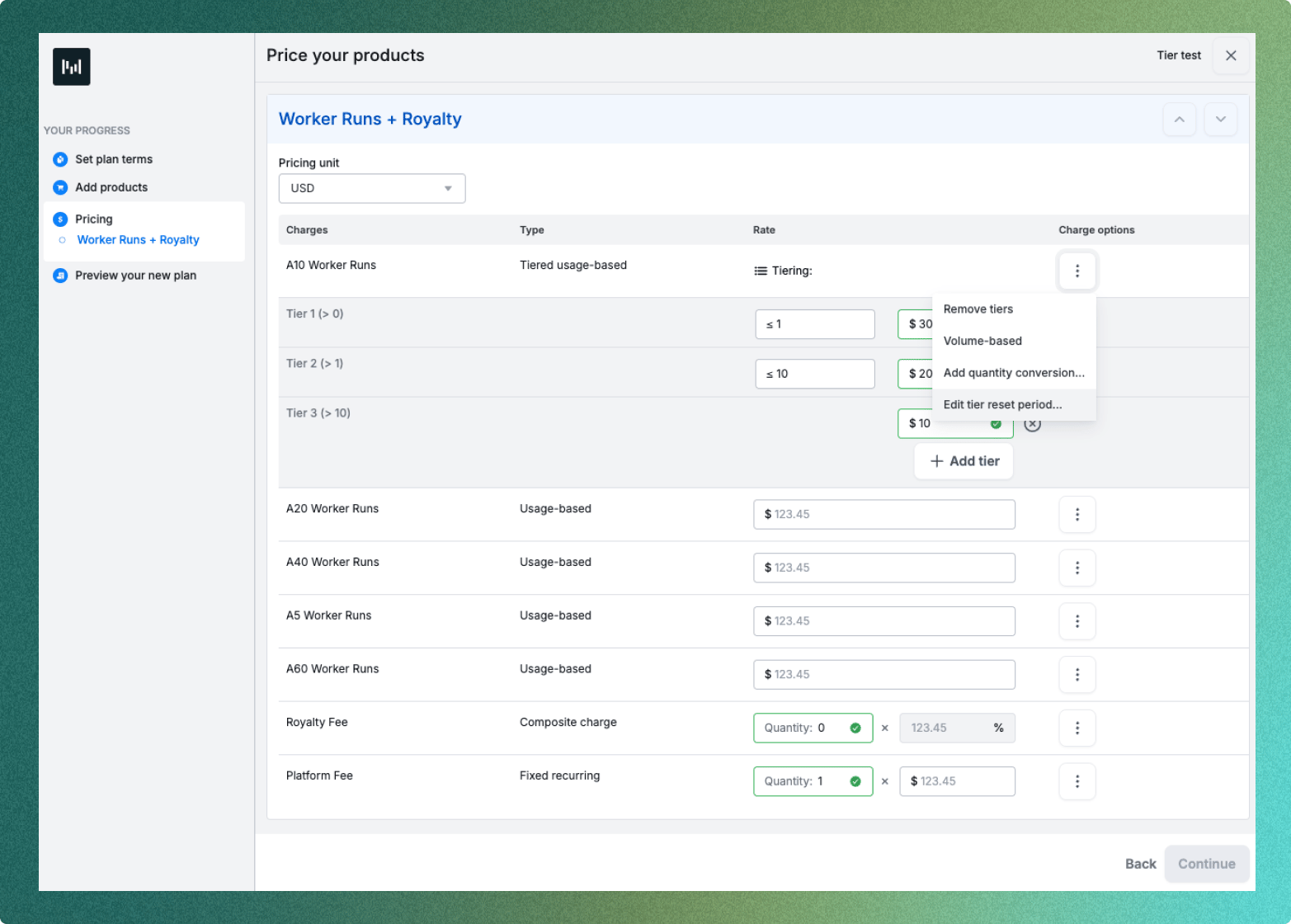
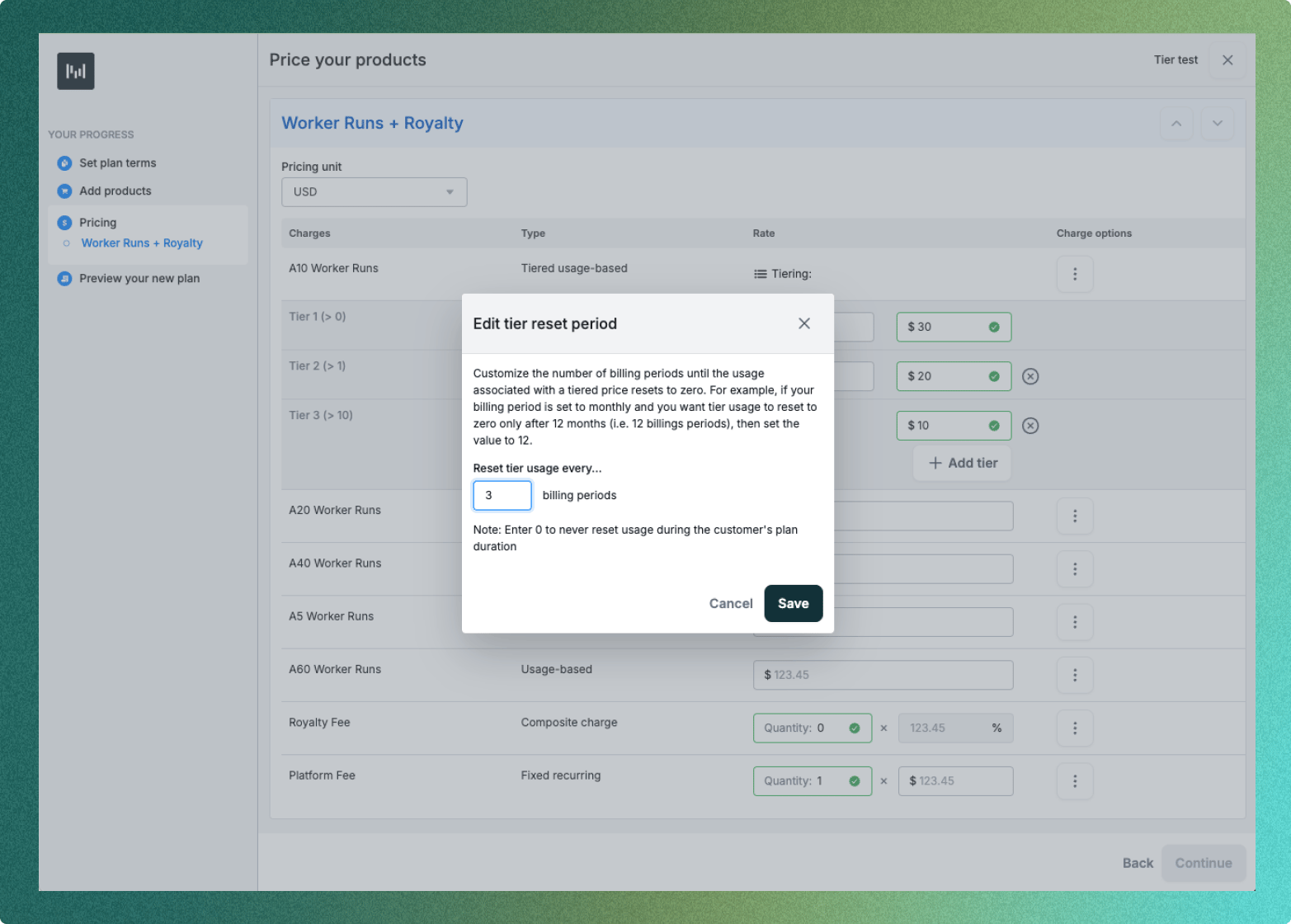
Credit grant rollovers
Configure rollovers on new or existing credit grants. If the credit grant expires, all or a portion of the remaining credit grant balance will roll over into a new credit grant. See API docs here. If you are interested in this functionality, reach out to your Metronome representative.Backdate credit grants
Credit grants can now be backdated in the UI. This functionality is useful when, for example, you may have mis-billed in a prior month or need to give a customer a credit applicable to a previous month’s bill. Using this functionality, you can create a credit grant backdated to that prior month and then void and regenerate that month’s invoice, allowing the invoice to draw down from that new backdated credit. If you are interested in this functionality, reach out to your Metronome representative.UI improvements
Alert status visible on the customer’s alerts page
The state of an alert (‘evaluating’, ‘ok’, or ‘in_alarm’) can be viewed on the customer’s alerts page in the UI.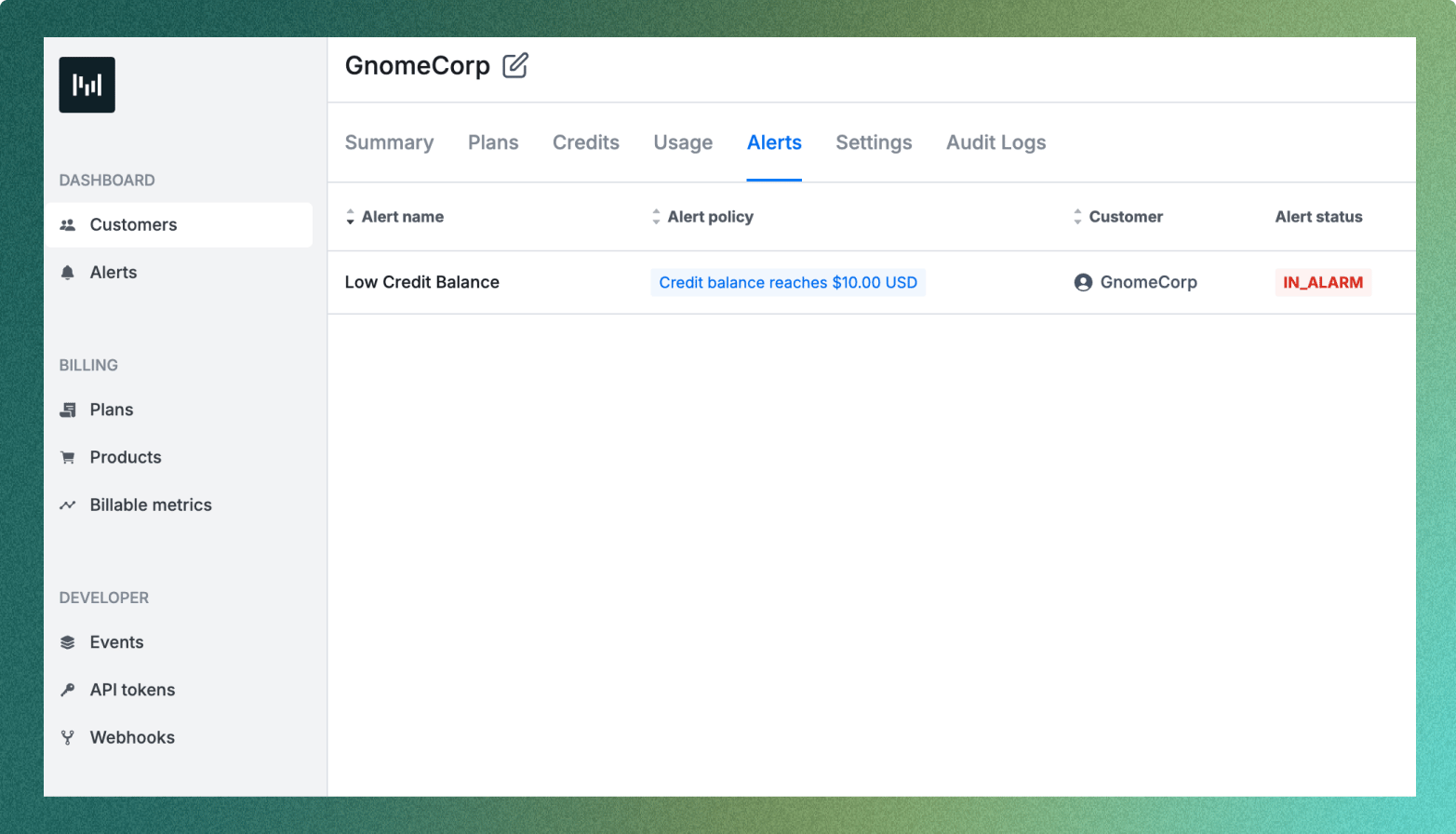
Data export improvements
New ‘customer_plan’ table in data export
This table includes individual customers’ plan information, including fields like ‘created_at’, ‘starting_on’, ‘ending_before’, and ‘custom_fields’ which facilitates downstream reconciliation and analysis workflows. See docs here.Get in touch
Enjoying our changelog? Have feedback on how we can improve it? We’d love to hear from you! To learn more about these features, get in touch with us here or reach out to your Metronome representative.New releasesAPINotificationsIntegrationsUIPricing and Packaging
In Tempo: Spring 2024
What’s new
API investments
Create and manage billable metrics over API
Programmatically create, archive, and get billable metrics through the API. This is a longstanding customer request and we’re excited to support the automated creation of billable metrics. Previously, billable metric creation was done solely through the UI. See docs here.Define how alerts should be evaluated using the API and UI
The ‘Create alerts’ endpoint can be configured to evaluate immediately for all customers who meet the alert threshold or evaluate only for future updates on customers who meet the alert threshold.The default behavior is to evaluate on all customers, but in certain instances, for example creating alerts on an existing set of customers, the preferred behavior may be to only evaluate this alert for future updates (e.g. new usage, customer updates, plan updates, etc.). See API docs here.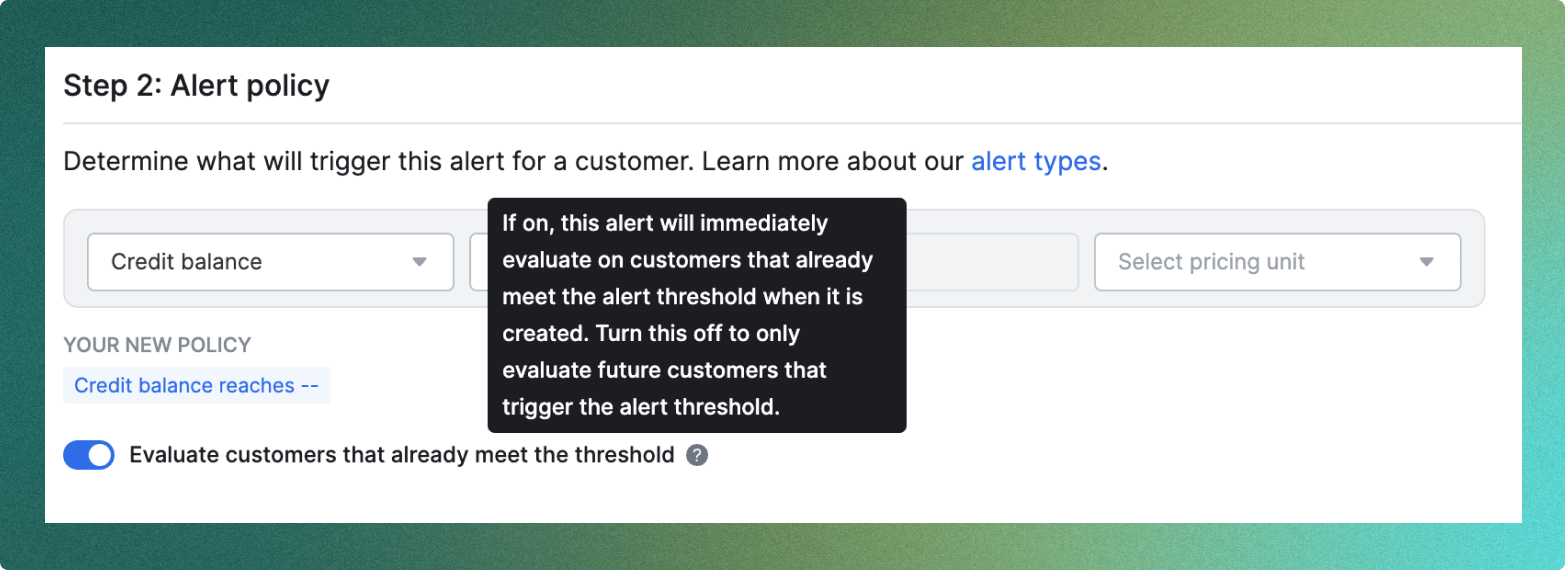
Force re-evaluation of alerts for a customer
While alerts are continuously evaluated, Metronome only triggers notifications when an alert changes state. This could lead to unintended behavior if your systems reset their state in response to changes in a customer’s plan and an alert re-notification is expected. You can force a re-evaluation of the alert for a specific customer using the ‘Customer alerts reset’ endpoint. See Alerts docs here and API docs here.Set free trials when adding a customer to a plan through the API
‘Add a plan to a customer’ endpoint now supports setting free trials. Programmatically set and edit free trials for customers through the API. See docs here.Prevent writing duplicate credit grants
‘Create credit grant’ endpoint now has a ‘uniqueness_key’ on the request body to ensure idempotency and that there is no creation of duplicate credit grants for a customer. See docs here.Create credit grant and add custom fields in a unified API
Add custom fields to credit grants using the ‘Create credit grant’ endpoint. These custom fields can be used to map to downstream integrations like Stripe. See docs here.Set an idempotent billing configuration for AWS Marketplace
The ‘Set billing config’ endpoint for the AWS Marketplace integration is now more ergonomic by treating identical configurations set on the same Metronome customer as idempotent. This ensures that a second identical request isn’t treated as a duplicate configuration error.Audit log enhancements
- Added ‘Action description’ string to each mutation endpoint to show what changes have been made.
- Filter ‘AuditLogs’ by ‘resource_type’, ‘resource_id’, and ‘ending_before’ to more easily track changes. See docs here.
Integration updates
Interact with the Metronome API using our public Workato connector
Customers using Workato can now interact with the Metronome API without writing custom HTTP calls. This also makes it easier for non-technical users to pull data from an API response through the Workato UI. See docs here.Map credit grant custom fields to Stripe invoice line item metadata
In the Edit Stripe mappings UI, map credit grant metadata to the Stripe invoice line item metadata. One example use case is for revenue recognition–using Metronome custom fields to pass through NetSuite metadata into the Stripe credit purchase invoice.UI updates
Data Export UI
- Data Export is now under General Settings in its own tab, not nested under the Integrations tab.
-
Data Export layout has been updated to clearly show connected destinations and make it easier to update the destination and see the list of models being transferred out directly in the Metronome UI.
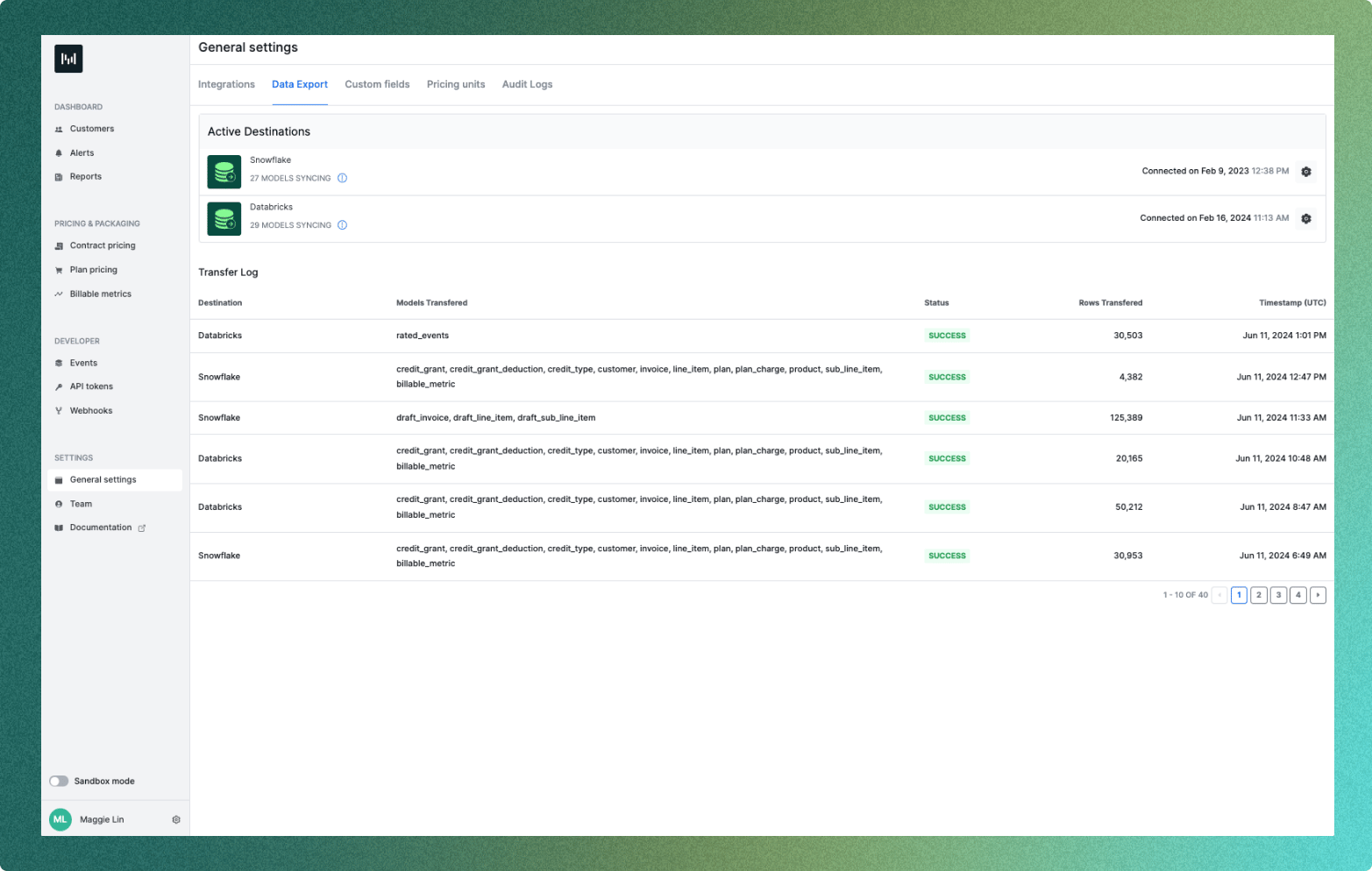
Audit logs UI
Audit logs are now available in the Metronome UI. Easily view actions taken by users and export audit log data.